
Two venues, two tills, two versions of the truth.
Anyone running several sites compares them constantly — mostly in a spreadsheet someone maintains by hand. Veydex lays a common level over them without any site giving up its system.
First, the question everything hangs on
Does Veydex work with your till?
Name your system. Before you book, you learn which route links it, which data comes across and where the limits are.
Regardless of your till: Reservations · Rota · Phone AI · Documents · Hygiene & HACCP · Payments. They read no till data and work even if the system you run today cannot be linked.
Five routes over which a till gets connected
Which of them works for your system depends on manufacturer, version and contract. That is exactly the question we settle before you book — not after.
One route, depending on the system
- API
- Cloud connection
- Local connection
- Direct integration
- Standardised export
Works once the connection stands
 Marketing
 Stock
 Analytics
 Helpers
Regardless of your till
 Rota
 Documents
The routes in detail
- 01APIYour till provider offers an interface. Veydex uses it to bring your till's data into the Hub.
- 02Cloud connectionYou grant access once in your till provider's account — and can withdraw it there at any time. We will not ask for your till password. If you prefer, you can sign in with your till login in the Hub instead; only the access is stored, not the password.
- 03Local connectionFor tills that only run on site: a connection on the premises that we set up with you once.
- 04Direct integrationTill and Veydex work together directly — no detour, nothing to do day to day.
- 05Standardised exportThe legally required till export (DSFinV-K) — which exists even on systems never built for a connection.
The comparison is the work, not the number.
Two sites on the same till system can still be laid side by side. Three on two different ones cannot — at that point every question of “which venue is doing what?” costs half a day.
- Site Aown tillown workspace
- Site Bown tillown workspace
- Site Cown tillown workspace
Numbers computed the same way- Every site counts differentlyDifferent article names, categories and periods — the same figure means two different things in two places.
- Rights stop at the siteWhoever may see everything has three logins, and whoever should run one venue often sees everything anyway.
- A switch is never simultaneousMoving every site on one day is not an option — so each one stays with its system.
The sequence
One level above the sites
Every site keeps what it has. What comes together comes together in the Hub.
- 01
One workspace per site
Own settings, own time zone, own trade, own team, own modules. One login for all of them.
- 02
Link every till separately
Connect links each system over the route it allows. Two different tills do not mean two different procedures in the Hub.
Veydex Connect - 03
Roles instead of logins
Owner, shift lead, accounting, view only and staff, per workspace. Changes take effect immediately — nobody maintains three password lists.
- 04
Compare like with like
Reports, time series and forecasts from the same data, computed the same way at every site.
Analytics
What carries across several sites
Modules are booked per workspace. These six are the ones businesses with several sites ask about most.
- included
Analytics
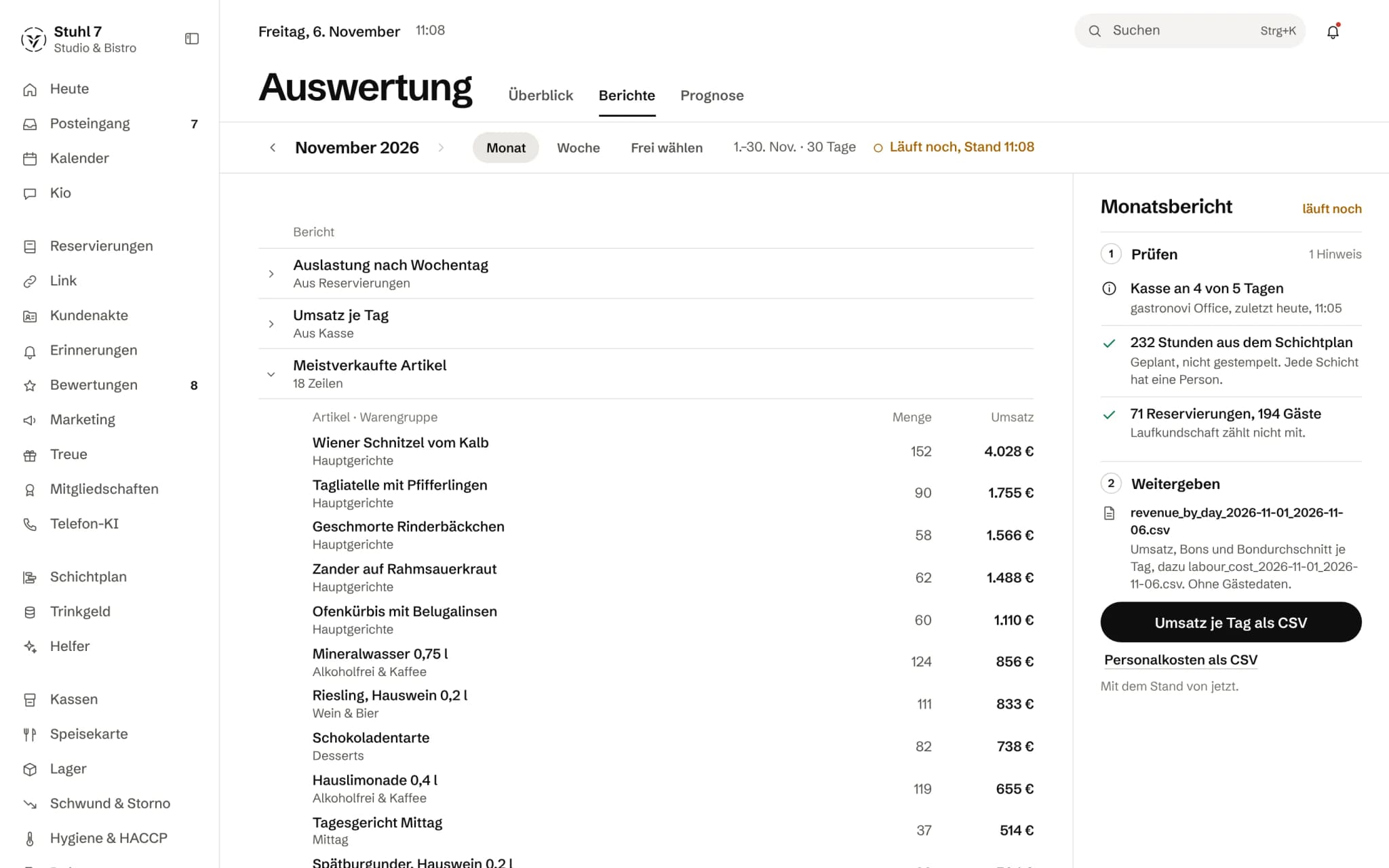
Reports, forecasts and benchmarks — without a separate analytics subscription.
See Analytics - 15 €/ monthfrom 1 December 2026: 39 €
Rota
Plan shifts, keep an eye on cost, handle swaps and sick notes in the Veydex Shift app.
See Rota - 24 €/ monthfrom 1 December 2026: 39 €
Stock
Stock, consumption, recipes and orders connected to each other.
See Stock - 29 €/ month
Documents
Contracts, records and their dates with automatic deadline checks.
See Documents - 31 €/ month · in totalfrom 1 December 2026: 36 €incl. Guest records
Marketing
Reach the right guests — and measure whether they really came back because of it.
See Marketing - 29 €/ month
Helpers
Veydex watches the operation, spots what stands out and brings decisions to you.
See Helpers
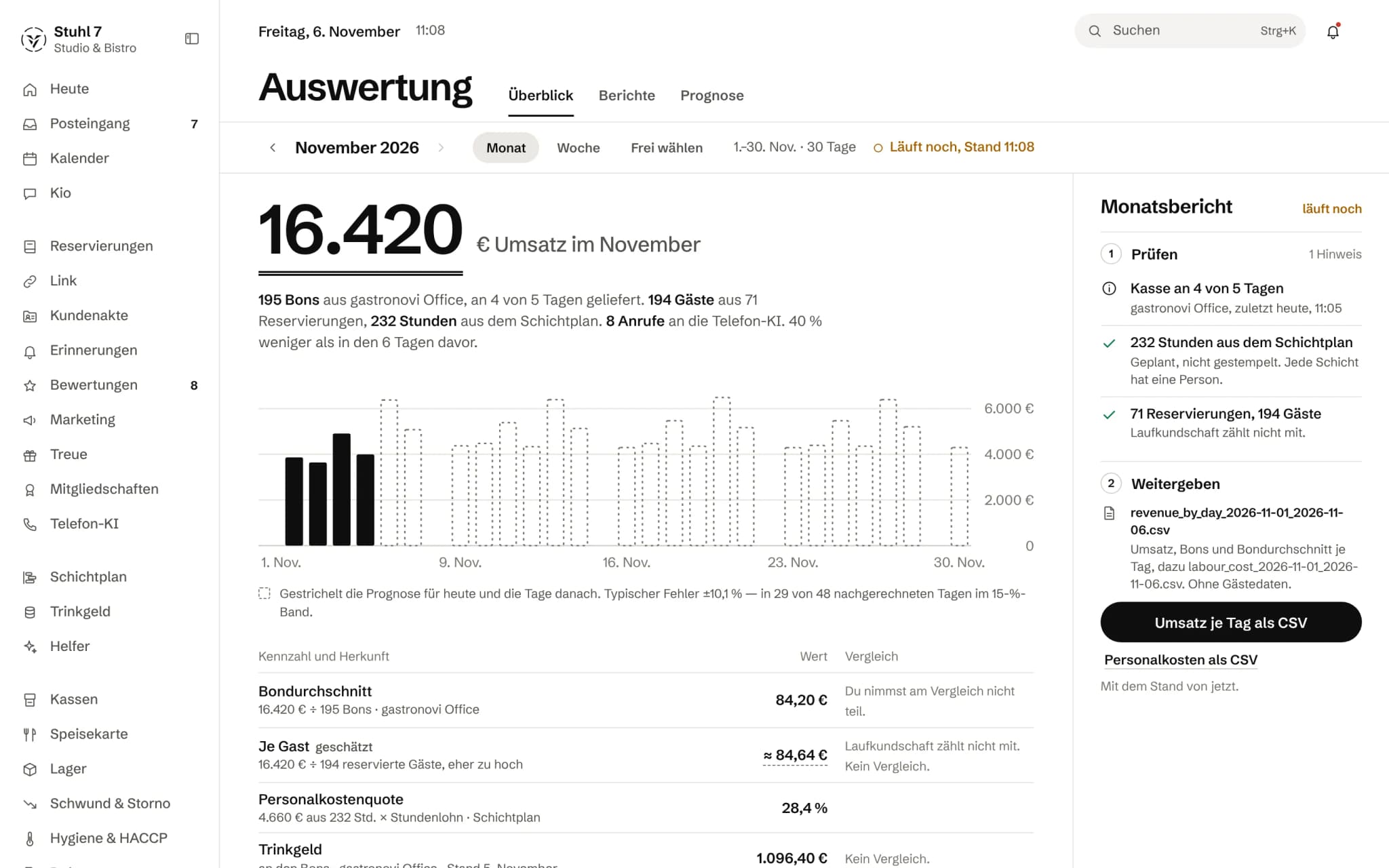
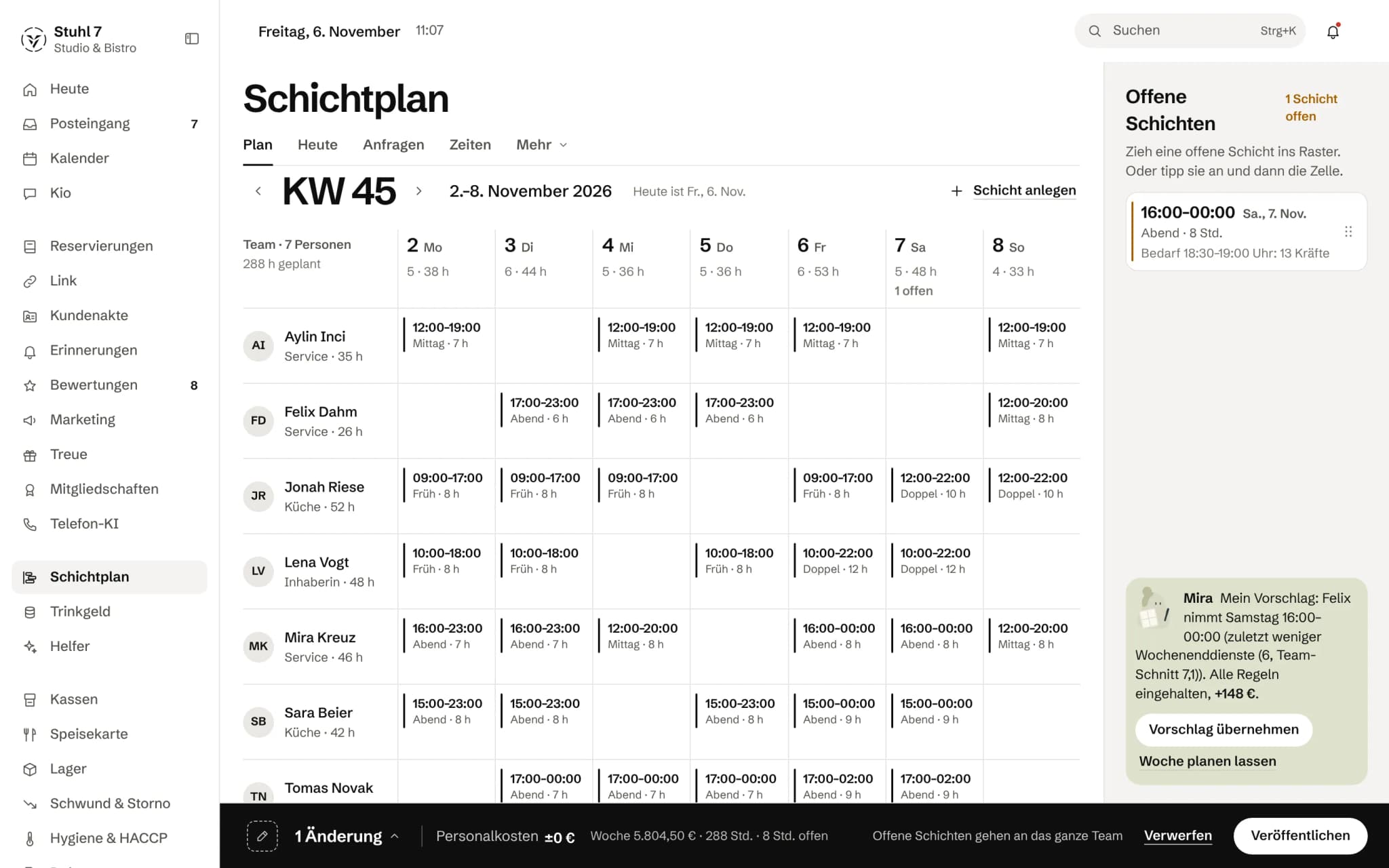
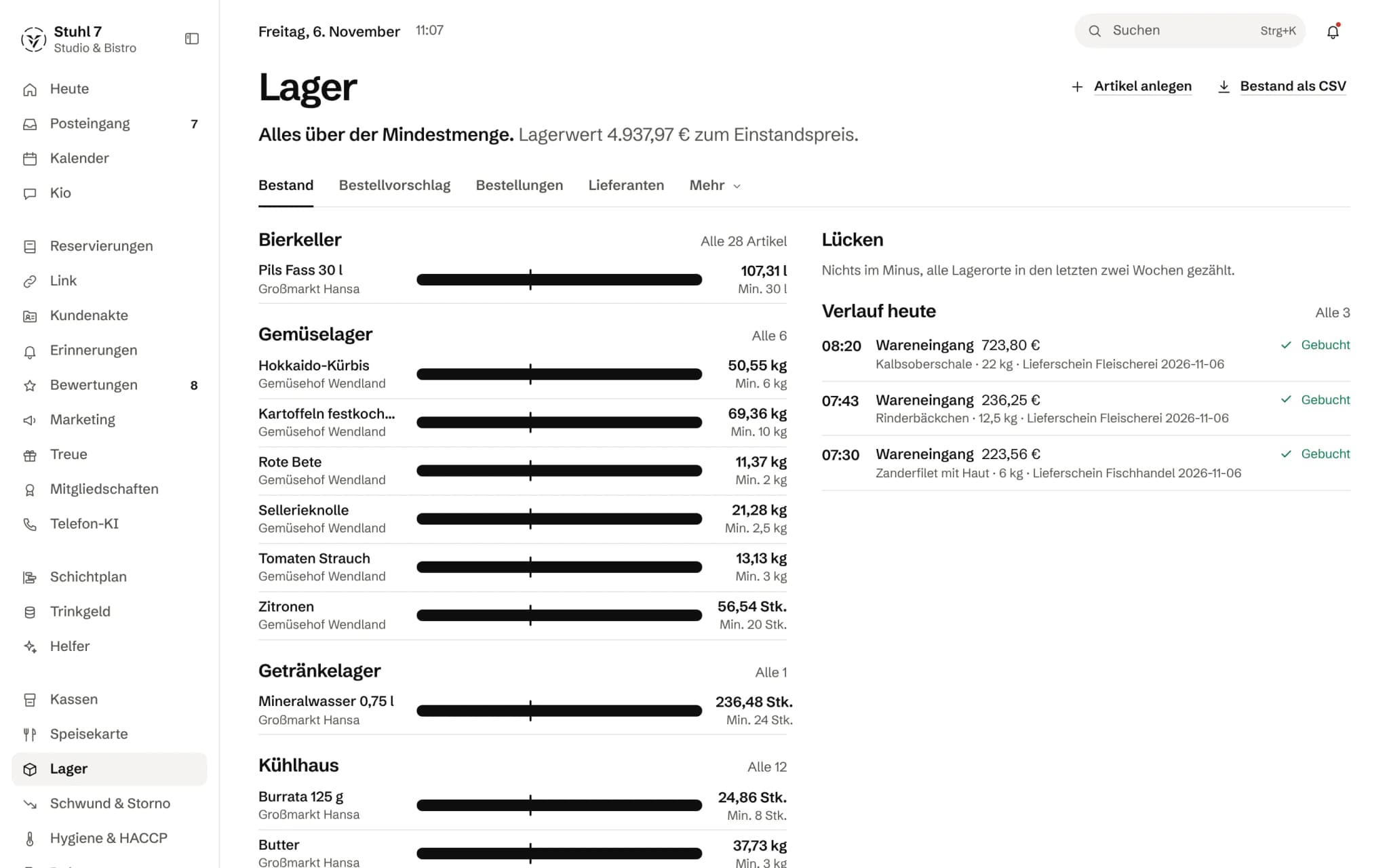
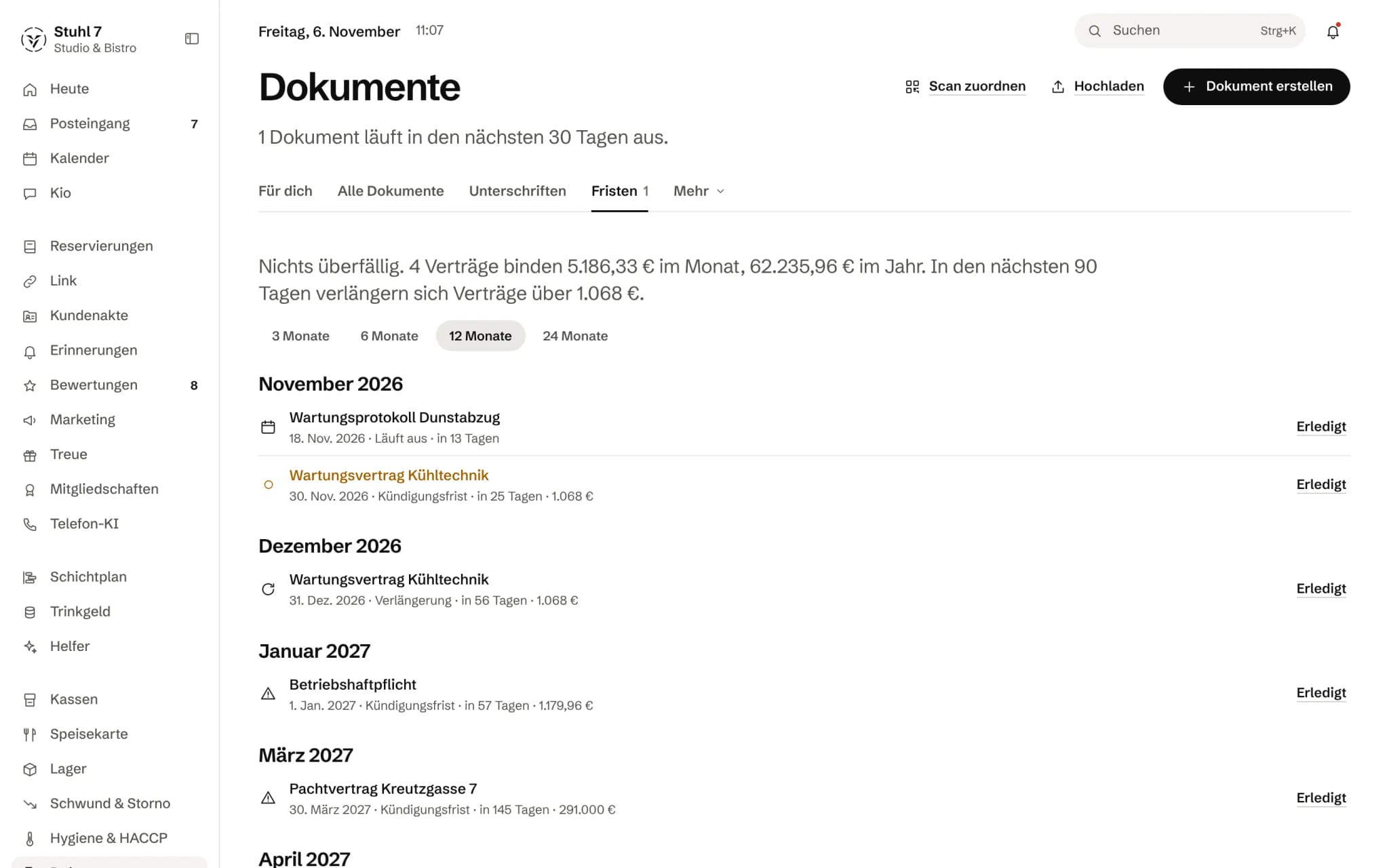
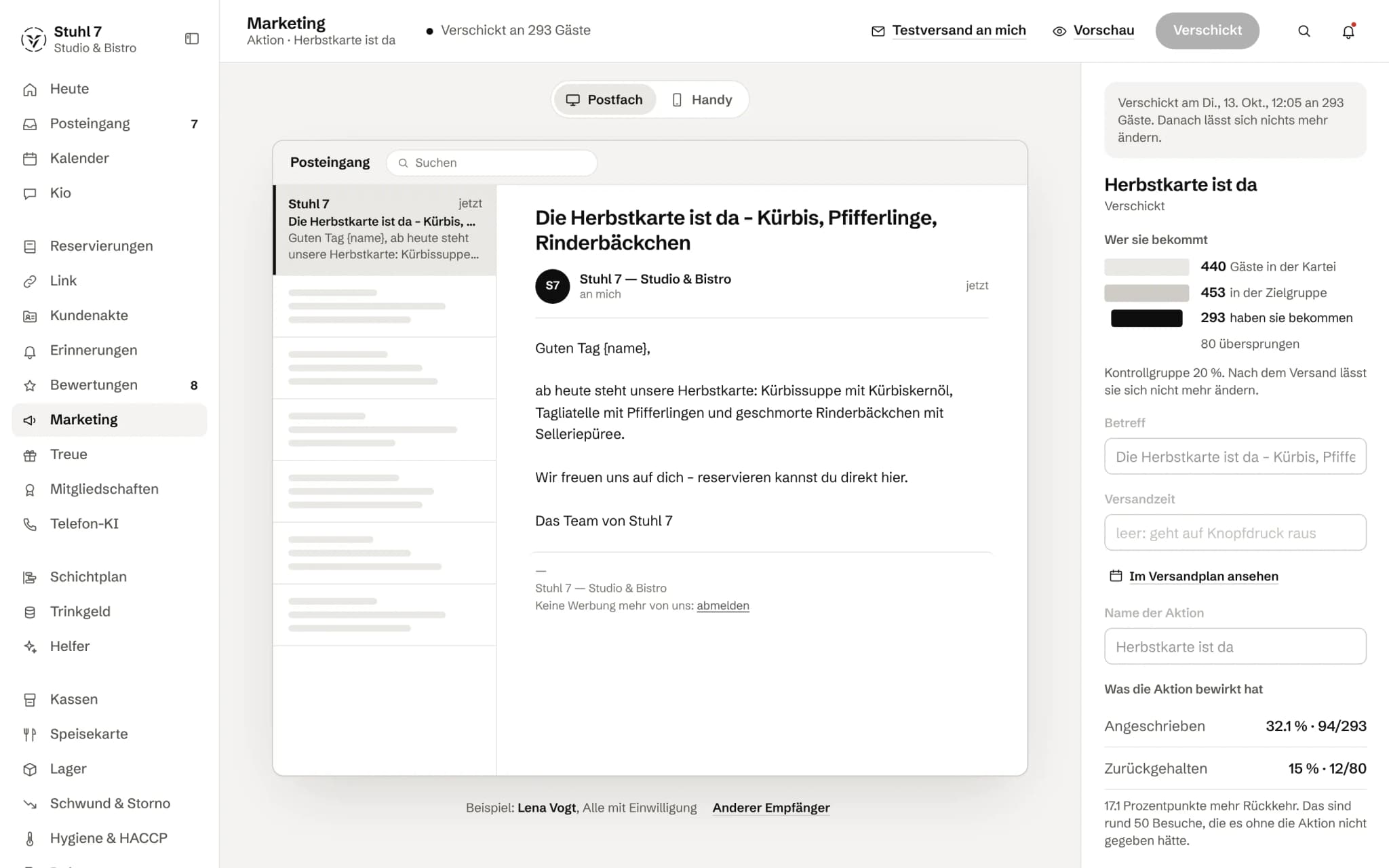
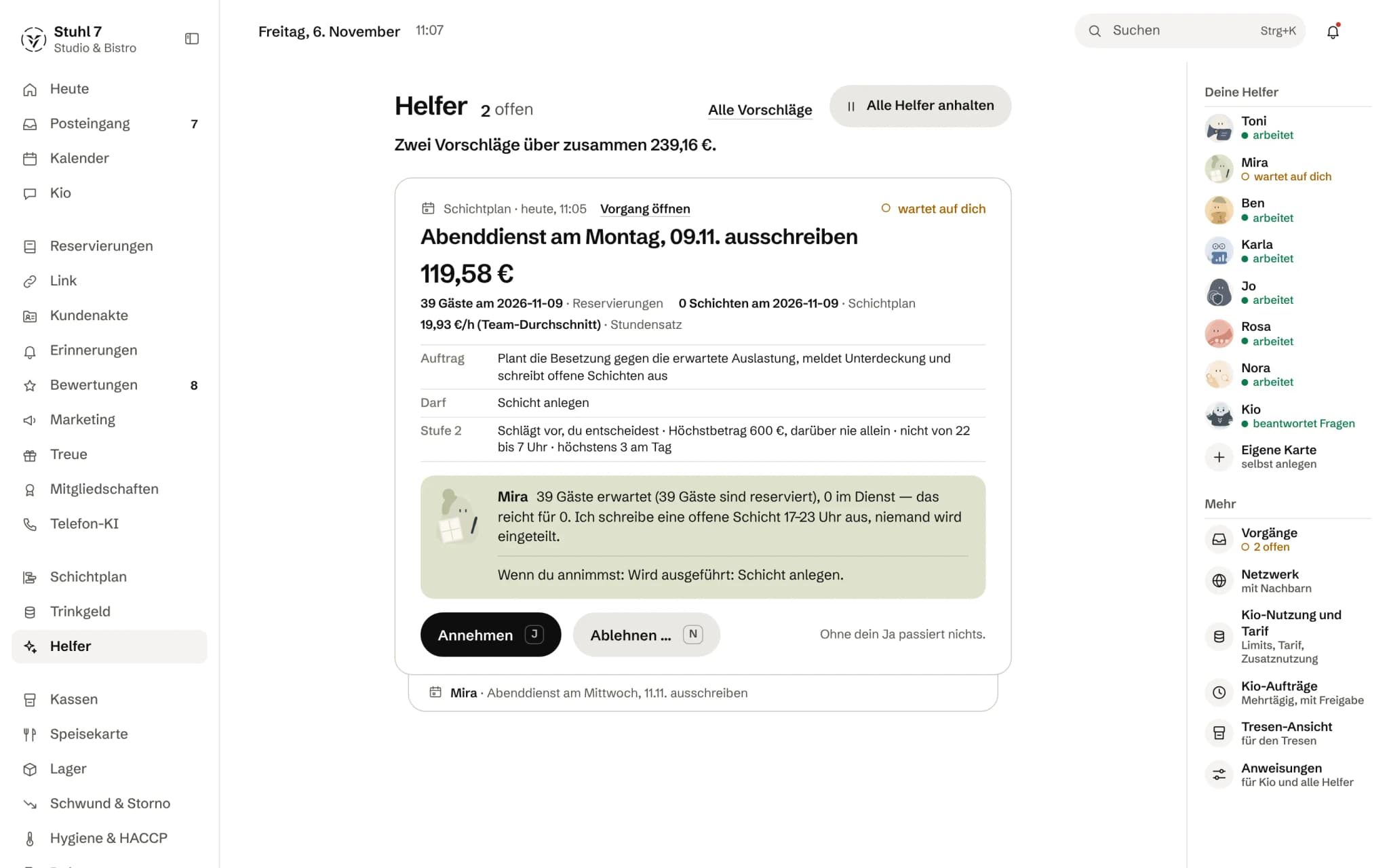
The previews are Hub screens with demo data.
What is open
- What several sites cost, we work out concretely.Every workspace has its own modules and a volume price for that is not settled — a number here would be invented.
- Every till is checked separately.Different systems can deliver different data — and so allow a module at one site that does not work at the other.
- No shared staff pool.The rota plans per workspace; a cross-site plan with a shared pool is not part of it.
Most asked about this
What does Veydex cost?
You pay per module, not for a bundle. The bookable modules run from 9 to 29 euros net a month, the Phone AI from 39 euros depending on the minutes plan, Analytics, Veydex Link and occasional questions to Kio cost nothing, and Payments bills at 0.9 per cent per transaction. Only what you have booked is charged — the pricing page adds your selection up for you. For new bookings from 1 December 2026, modules run from 9 to 39 euros; book before then and you keep your price.
Do I need a new till?
No, and today it would not even be possible. Veydex Connect links the till already at your place and makes its data usable for the modules you have booked — no change of system. Our own Veydex till is in development and cannot be ordered yet, so the open route runs over yours.
How long does the contract run?
For an indefinite period. Either side may terminate with fourteen days' notice to the end of a billing month, unless agreed otherwise. Individual modules can be cancelled separately; when the last one is cancelled, the contract ends altogether. The full provision is in the terms and conditions.
Does Veydex produce a DATEV posting batch?
Not today. Analytics gives you reports and a CSV export, and that is a sheet of numbers, not a bookkeeping file. If your accountant needs a handover, it currently comes from the till and not from the Hub. This is here because the question comes up in every other conversation.

Tell us how many sites and which tills.
Then we look at each system separately and say what comes together on a common level — and what does not.
The other starting points
All solutions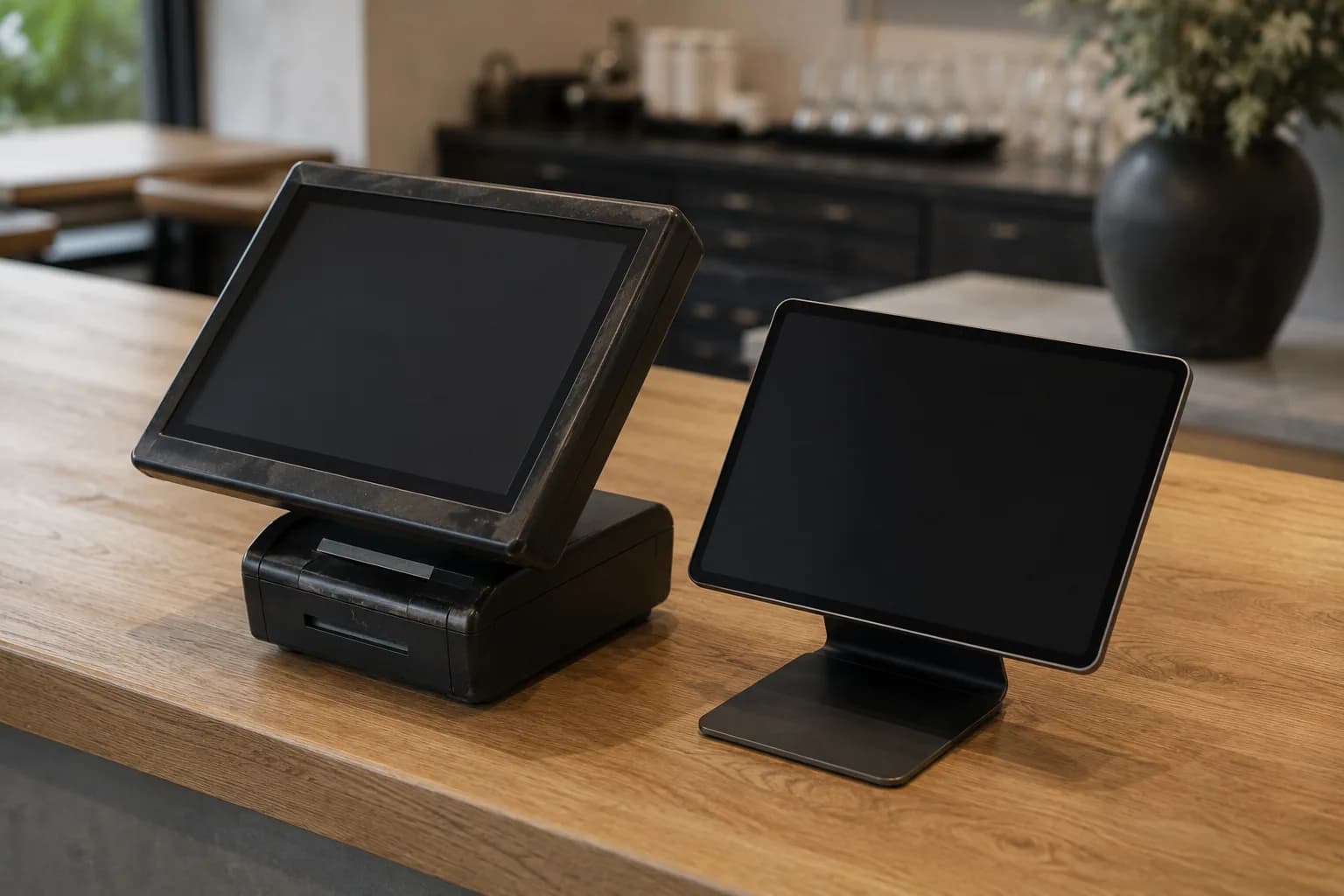 Existing tillYour till stays — the operation behind it gets simpler.Check my till
 New businessTill, team and routines belong together before the first day of trade.Plan my opening





- Analytics included
- 14 days to try it, with no automatic renewal