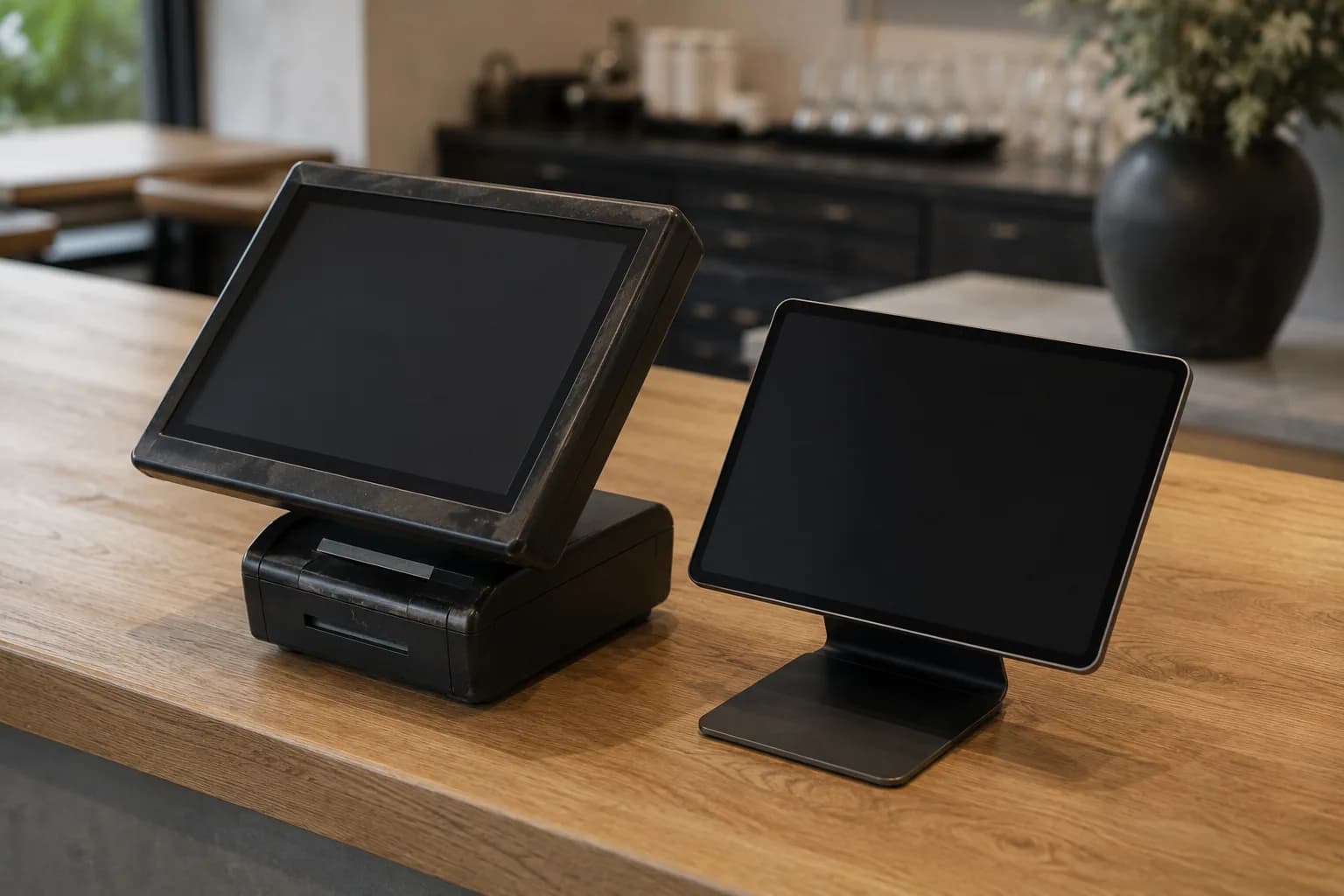
Your till becomes part of the system.
Changing tills means operating on a business while it runs. Connect avoids it: the till you already have stays where it is, and its data still becomes usable for the modules you book.
Connect links existing till systems to the Hub and makes their data usable for the modules you have booked — without anyone changing till systems.
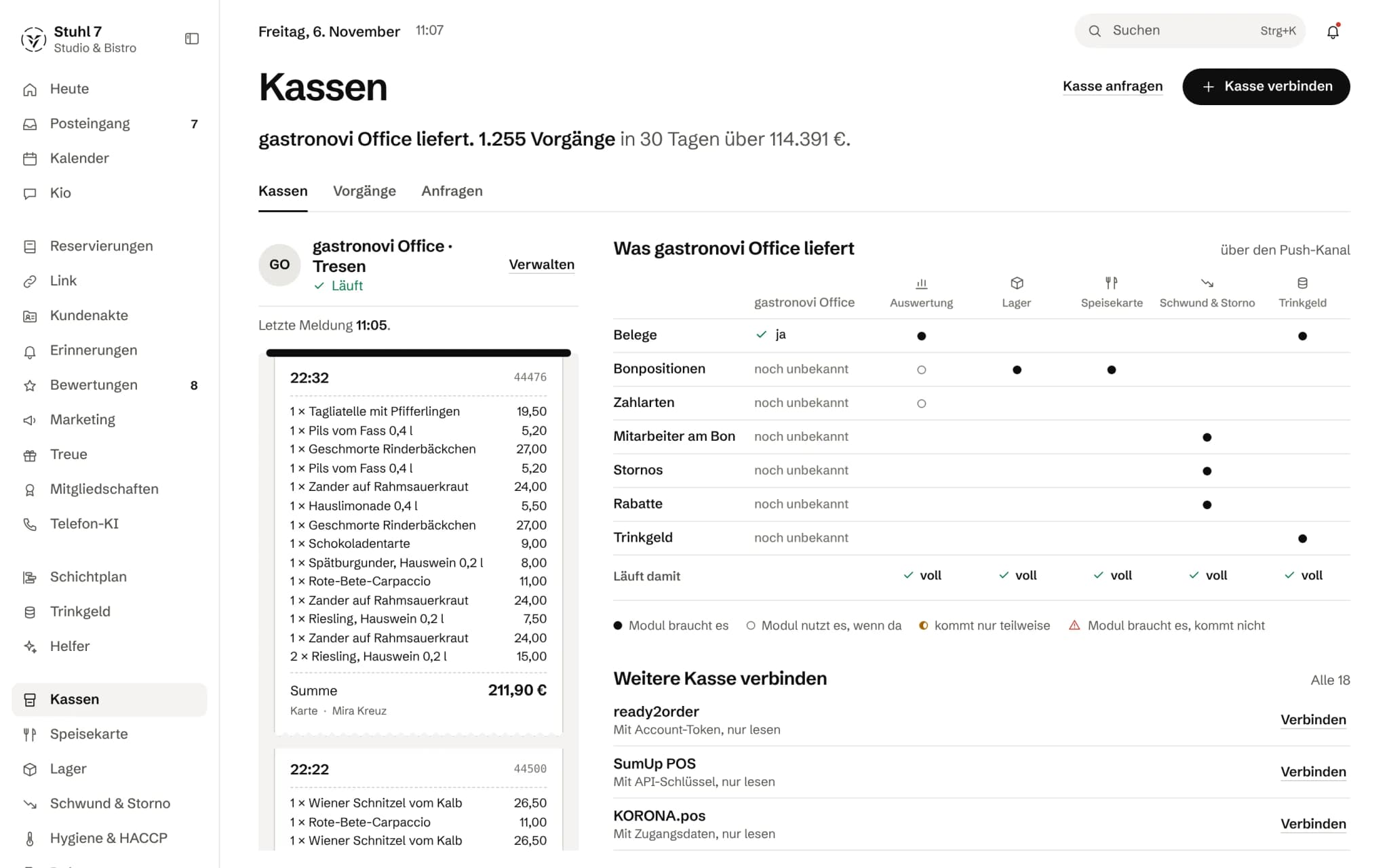
| From the till |  Analytics |  Stock |  Menu |  Shrinkage & voids |  Tips |
|---|---|---|---|---|---|
| Receipts | Module needs it | Module needs it | |||
| Line items | Module uses it if available | Module needs it | Module needs it | ||
| Payment methods | Module uses it if available | ||||
| Staff on the receipt | Module needs it | ||||
| Voids | Module needs it | ||||
| Discounts | Module needs it | ||||
| Tips | Module needs it |
A connection
Your till stays. The system comes to it.
Switch or keep: the functionality is the same. Neither route is the smaller option.
- 01You tell us which system runs at your place today.
- 02Veydex finds the right route: API, cloud connection, local connection, direct integration or standardised export.
- 03Even a till that was never built for a cloud connection can be linked through its DSFinV-K export.
- 04We will not ask you for your till password. If you would rather type it into the Hub yourself, you can: it goes to the till provider once and is not stored.
- 05From then on, the modules you booked compute with your own till's data.
What is settled
- Connected over an API, a cloud connection, a local connection, a direct integration or the standardised export
- Which route works for your system is settled before you book, not after
- Including systems never built for a cloud connection
- Veydex walks you through the setup — or takes it on with you
- We will not ask you for your till password. If you want, you can sign in with your till login in the Hub yourself
Ask Kio
Ask Kio instead of searching.
Kio reads along in the areas you have booked and answers in whole sentences, with the figures and where they come from.
Kio knows what your till delivers through Connect, and no more.
Kio comes with every business: occasional questions are included in the Hub.
Meet Kio- You: Why was Thursday so weak?
- Kio:
Revenue was 14% below the last four Thursdays, almost all of it in the evening. There were six reservations instead of the usual twelve.
Your till delivers. What Connect makes of it.
How a till gets connected, what arrives, what happens when something is missing, and where Connect stops today.
01
Connecting
The route depends on your till, and on how little you need to know to take it.
Confirm with your provider
Where possible, you sign in on your till provider's own site and confirm once that Veydex may read. Beforehand you are told where you are about to land and what Veydex may read.
Veydex sets it up
One click, and the Veydex team takes care of the technical side. In the Hub you see how it is going, and the team asks there if it needs anything.
Your till technician gets the instructions
If a dealer set up your till, you give their address and they receive everything they need. As soon as the till reports for the first time, the connection switches to “connected” by itself.
The export as a source
Without a live connection you upload your till's DSFinV-K export, or a spreadsheet whose columns you map. Before importing, a preview shows which fields the file really contains.
Ask about an unknown till
If the Hub does not know your till yet, you request it. That opens a conversation with the Veydex team, and the reply arrives in your inbox.
02
What arrives
For each kind of data it says whether it arrives, and which module runs on it.
After connecting
Instead of “access granted”, the Hub tells you how many kinds of data are coming in and how many modules run fully on them.
Missing is not zero
If your till does not hand something over, the tips for instance, the Hub shows a dash and not an amount of €0.00. A tip split over zero is not released that way without someone being asked.
No all-clear about nothing
If a till reports no voids, the Hub says it cannot tell you anything about them, instead of reporting “nothing unusual”.
Before you book
Every module shows whether it runs fully, partly or not at all on your till's data. You can still book it; what is missing stays visibly empty instead of being estimated.
Two sources at one venue
If the card terminal delivers tips in a file of its own, it fills in the till's receipts instead of doubling them. If the two sources disagree, both values are shown.
03
In the background
What Connect handles itself, so a figure is right without you recalculating it.
Nothing counts twice
If a till sends the same receipt twice, it counts once, and a correction replaces the old version. A transaction without a unique receipt number is rather not counted than counted twice, and the Hub tells you so.
Your venue's business day
A receipt counts towards your site's business day, in its time zone, even if the till does not send the day along.
Silence gets noticed
If a till goes quiet for a while, the Hub tells you. If a field that used to arrive suddenly goes missing, such as who rang up the sale, it reports that too.
Access stays valid
Grants that expire are renewed by Connect beforehand. You only hear about it when there really is something to do.
Till closing reconciled
Where a till closing is available, from the DSFinV-K export for instance, the Hub compares it with the transmitted receipts and shows any difference.
04
When something changes
A new till, a second venue or a disconnection does not rewrite the past.
Changed tills
The old till is retired, not deleted. Its revenue stays with the site, and a year-on-year comparison runs across both tills.
From the second venue
With several sites, you assign each till to one. Nothing is guessed: a till without an assignment counts towards the company, and the Hub tells you its revenue appears in no site report.
Disconnecting
If you disconnect, the Hub fetches nothing more, and what has arrived stays in the reports. Where the provider allows it, the grant is withdrawn there too; otherwise the Hub tells you to end it in your provider account.
What it does differently. And why that matters.
Who in the business gets what out of it.
Technical details and data
What is read
Transactions, receipts, amounts and times, and depending on the till also line items, payment types, discounts, voids, tips and who rang up the sale. Veydex changes nothing in your till's data.
Credentials
On the route through your till provider, your password never reaches Veydex. Stored credentials are afterwards shown only by their last characters.
Files
The DSFinV-K export as a ZIP or a spreadsheet as CSV, up to 80 MB per file. The Hub deliberately does not accept Excel files.
For manufacturers
Till makers and system houses deliver receipts through a documented interface, with a key of its own per business.
Law
TSE, GoBD and till security remain the job of your till system. The DSFinV-K export exists for that anyway.
Devices
You connect a till at a computer; on a phone you can then see whether it is delivering.
What it does not do today
Listed here so you know before, not once you are running it.
Which till systems run over which route today, we do not yet list on this website.
Whether and how your till is connected, we clarify one by one, before you book.
What your till does not hand over, Connect cannot fill in.
If tips are missing, the tips report stays empty until they come from a second source; they cannot be entered by hand.
Through the export, data is as current as your last upload.
It is not a live connection.
A way back into the till, for instance to change a price, exists only where the till itself offers one.
Otherwise such a proposal stays a proposal that someone enters at the till.
Connect reads sales.
The line items on receipts arrive, but it does not take over your till's item master, guest data or reservations today.
The Hub reconciles a till closing only where the till provides one.
Stronger together. Veydex Connect and the rest.
These modules work with the data Veydex Connect supplies. Each has its own page with its price.
Price
What the connection costs depends on your till system. We tell you the amount before you book, not after.
- Your till stays where it is
- The route is settled before you book
- We never ask for your till password. If you want, you sign in yourself in the Hub
Questions before you start
What businesses want to know before they switch it on.
Does Connect work with my till?
We check that for your system one by one, before you book. You tell us which till you have, and we tell you which route connects it, what of it arrives in the Hub and what stays open.
Do I need technical knowledge?
No. Either you confirm once with your till provider, or Veydex sets up the connection, or your till technician gets the instructions. Entering a key yourself is the route for those who already have one in hand.
Can I bring over my past revenue?
Yes, through your till's DSFinV-K export. You upload it, see in the preview what it contains, and then import it. If you upload the same export twice, nothing counts double.
What happens if my till does not deliver something?
Then the Hub shows a dash instead of an invented zero, and every module says whether it runs fully, partly or not on what there is. Some things can be filled in from a second source, such as tips from the card terminal's file.
Does Veydex change anything in my till?
Nothing in its data. The till stays the source, and TSE, GoBD and till security stay with it. Your team keeps ringing up as before.
What happens if I change tills later?
The old till is retired, not deleted, and its revenue stays with the site. You connect the new one like the first, and comparisons across the year run over both.
Your till becomes part of the system.