
The place where your business comes together.
Reservations, team, guests, stock, payments and numbers in one hub. Your till stays and gets connected. You book only the modules your business needs.
- No base fee
- 19 modules, individually bookable
- Analytics included
- 14 days to try, ends by itself
What matters today, on one screen.
The “Today” overview brings together what the modules know. Four marked spots show how the Hub works.
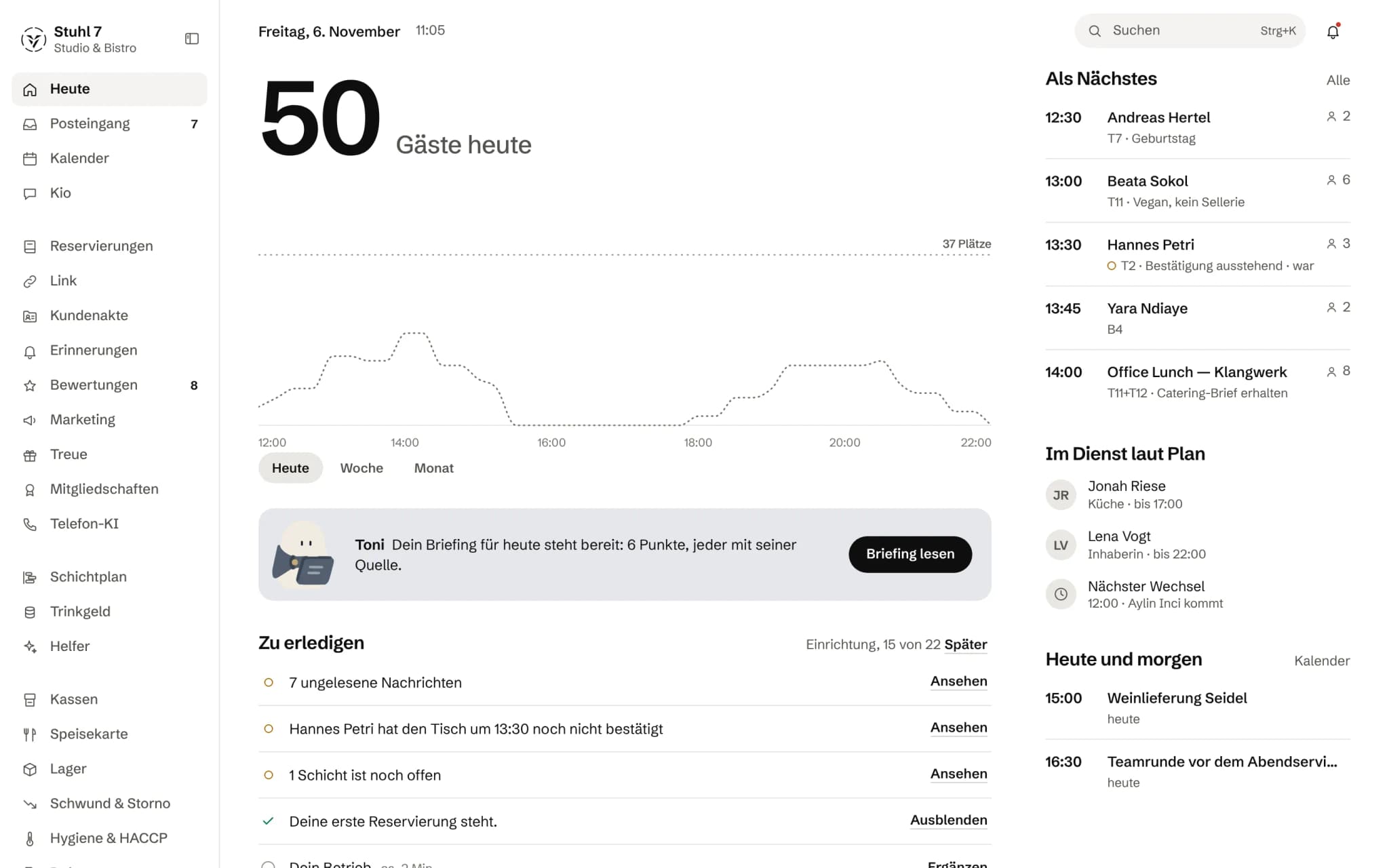
The day starts with one number.
How many guests are coming today and how they spread across the hours.
Toni brings the briefing.
One briefing for the day, each point with its source.
What is open shows up as a task.
Unread messages, unconfirmed tables, open shifts, each one click away.
Who is coming and who is working.
The next reservations with table and notes, and below them who is on shift according to the rota.
One hub. Everything in one place.
Week view, inbox and calendar are part of the Hub, with no module of their own.
Today, week
The week at a glance.
How many guests are coming this week, how many of them have booked already and how many are still expected.
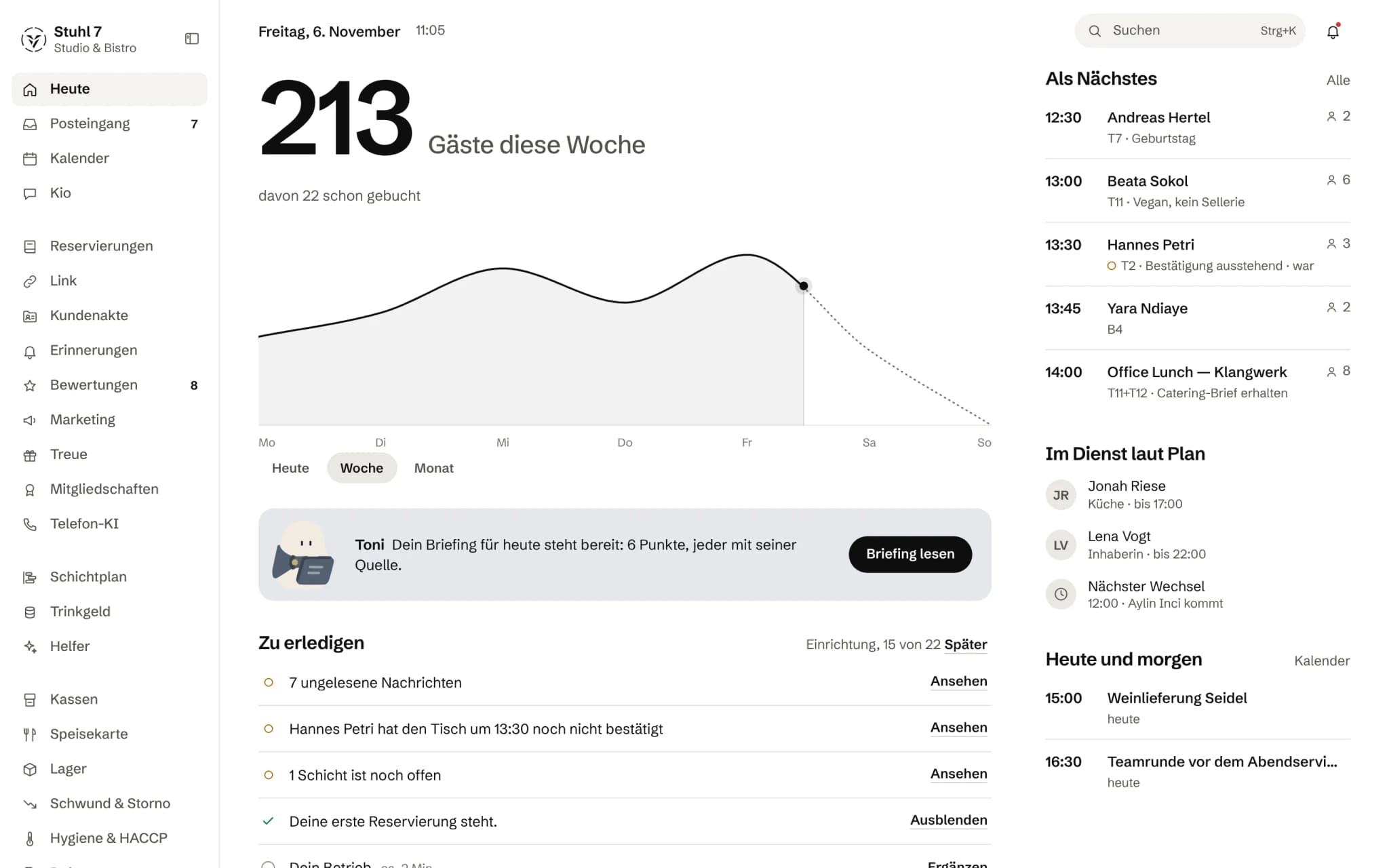
Today, week. Demo data from the Hub.
Inbox
What is waiting for your yes.
Proposals from Kio and the helpers sit in one place, with Approve and Decline. Alongside them, the messages from the modules.
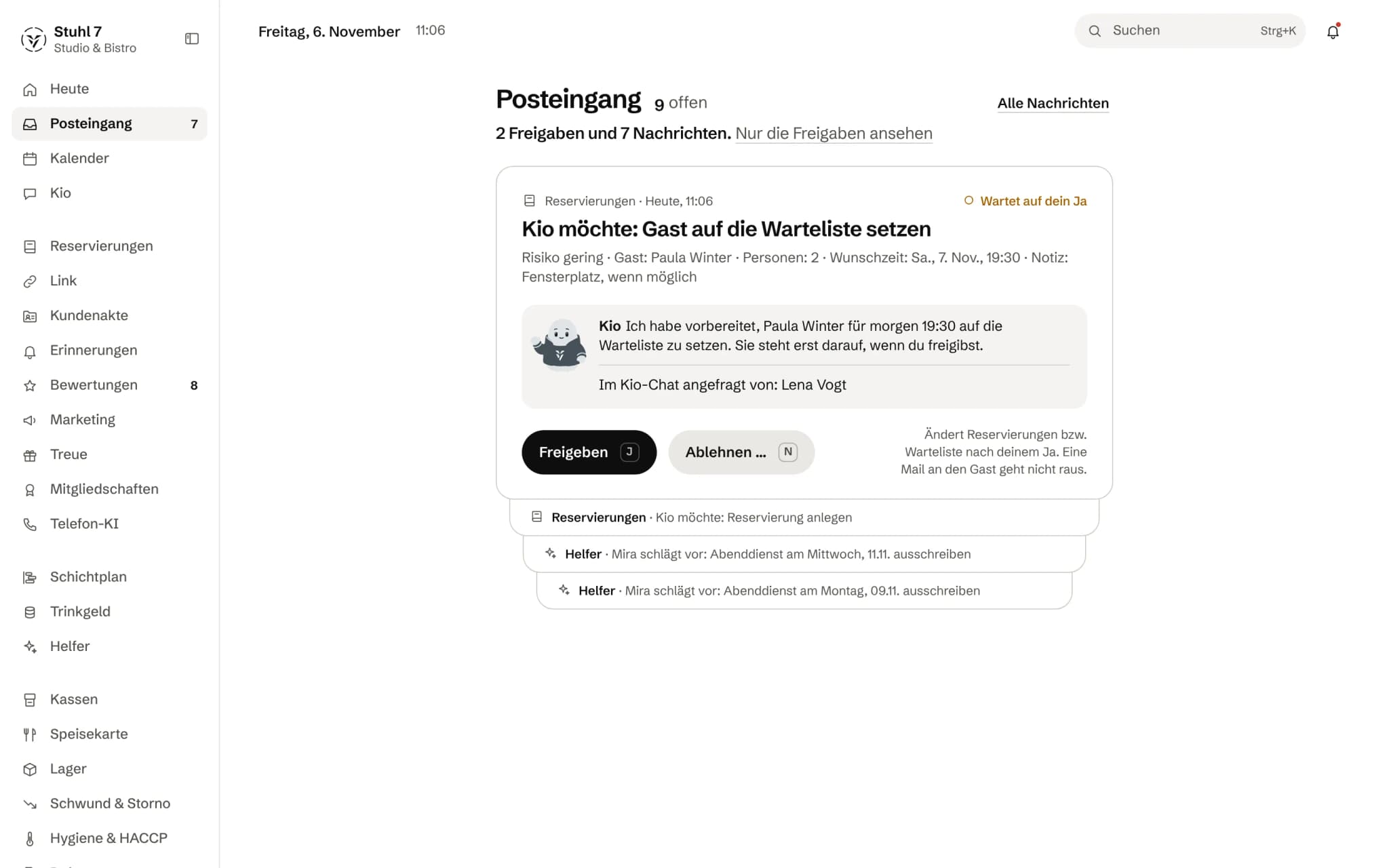
Inbox. Demo data from the Hub.
Calendar
Guests, shifts, appointments.
One calendar for the business: guests and shifts per day, plus appointments such as a delivery or the team meeting.
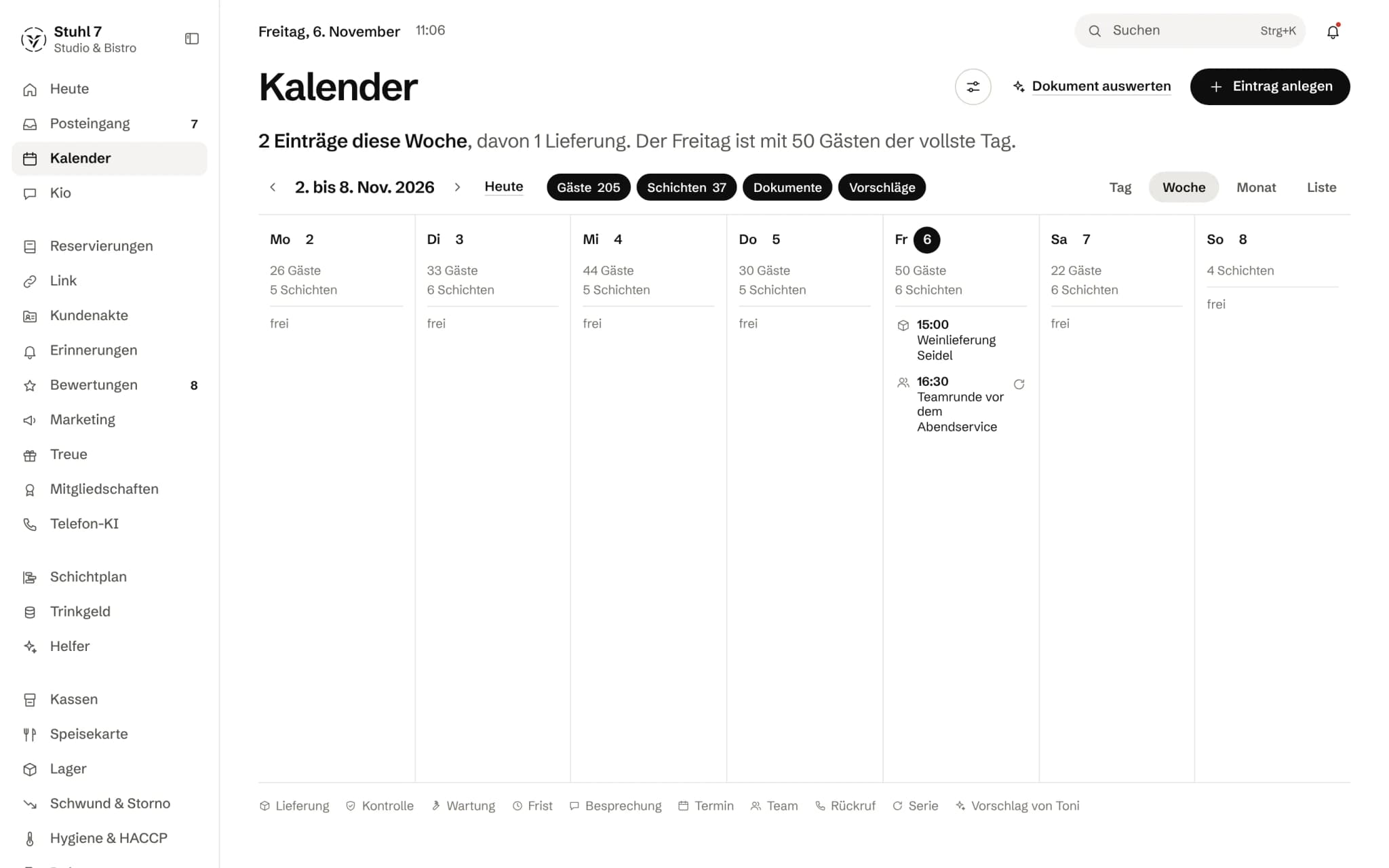
Calendar. Demo data from the Hub.
Today, week. Demo data from the Hub.
Start with what you need. And add more as your business grows.
You book only what your business needs right now. Pick an area and look at its modules.
Everything between the first enquiry and the next visit.
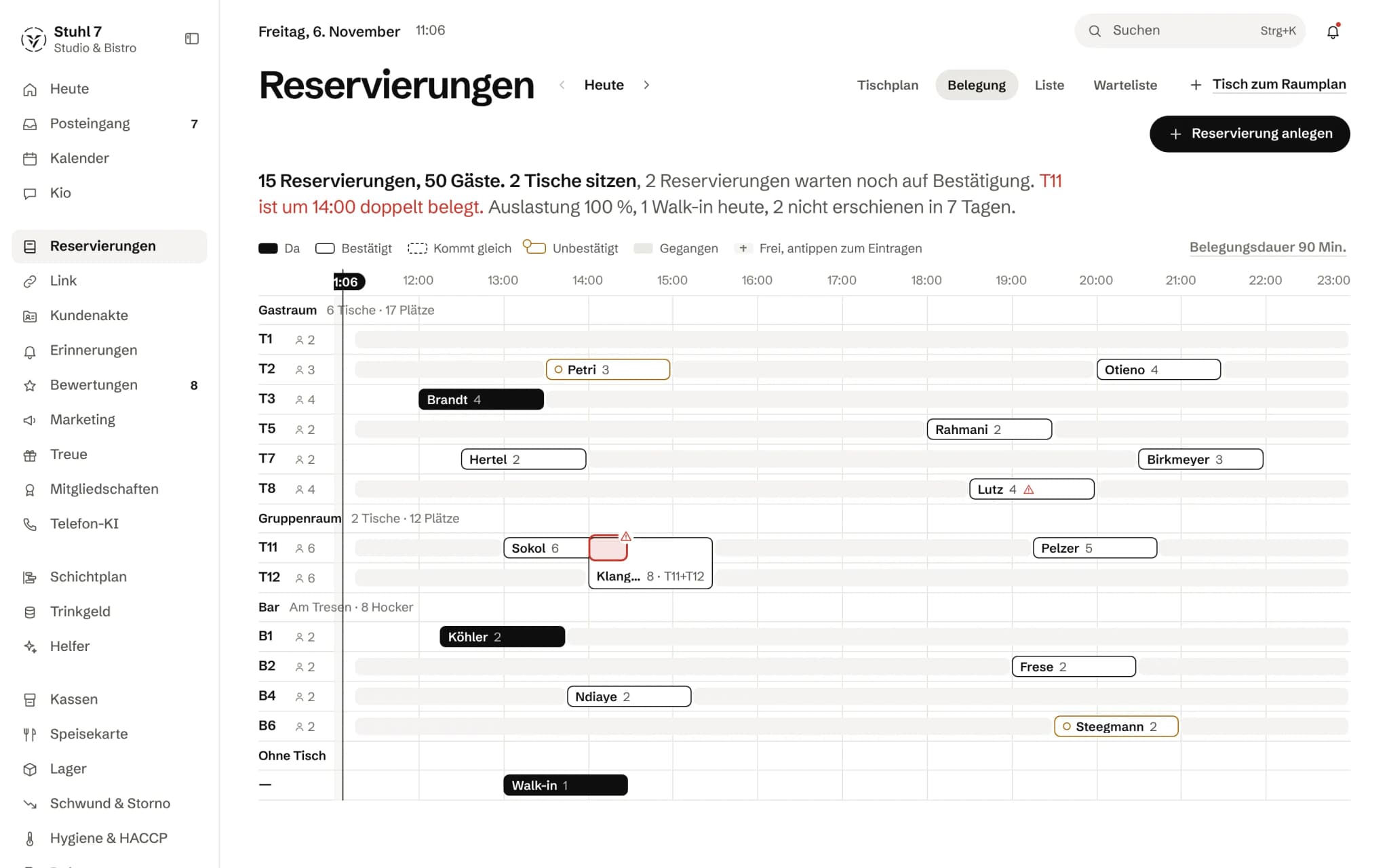
 Reservations19 € / month · from 1 December 2026: 39 €The day's bookings, table by table, with a double booking caught.Demo data from the Hub.See Reservations
No base feefrom 9 € per module a month14 days to try it
Your business does not run in separate apps. Log in. See the whole picture. Run the place.
Why should that take six different systems?
Veydex Hub connects the parts of your business into one shared system.
One account.
One interface.
One set of data.
- A reservation affects how full you are.
 How full you are affects the shift plan.
- The shift plan affects staffing cost.
 Sales show the target cost of goods.
 Visits become part of the customer history.
 And decisions come out of all of that data.
The Hub keeps working while you are doing something else.
- Reminders are prepared.
- Document deadlines watched.
- Review requests triggered.
- Loyalty points checked.
- Campaigns started.
- Till connections monitored.
- Key figures refreshed.
- Invoices and payments checked.
Not everything has to be on your to-do list. Some things should simply happen.
Numbers that mean something. Revenue alone explains no business.
So Veydex joins information from the modules you have booked into readable analysis. And when a forecast is uncertain, Veydex shows you that too.
- Reports
- Trends
- Forecasts
- Benchmarks
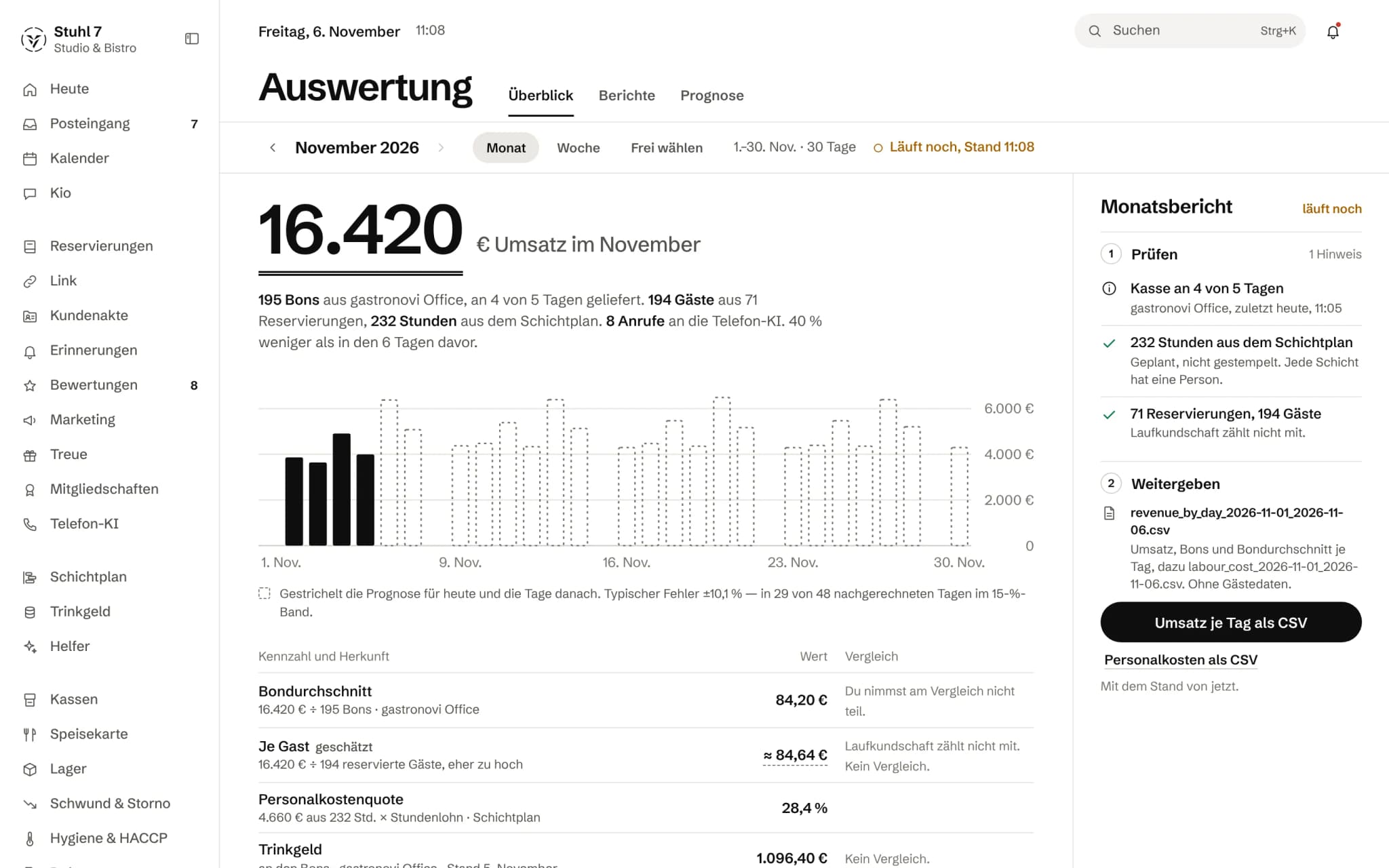
- No false precision.
- No wall of data.
- Only numbers you can work with.
Know where you stand. Without knowing who stands next to you.
Participating businesses can place their own trend against anonymised comparison groups. What you get instead are percentile ranges and rates, and only when there is enough comparison data.
Compare without disclosing.
AI that pitches in. And knows where its limits are.
Seven helpers each keep an eye on one area, and you set their level. Kio is the one you ask yourself; he puts every change to you for approval.
- Level 1: Observe
- Level 2: Propose
- Level 3: Execute
No helper starts at level three.
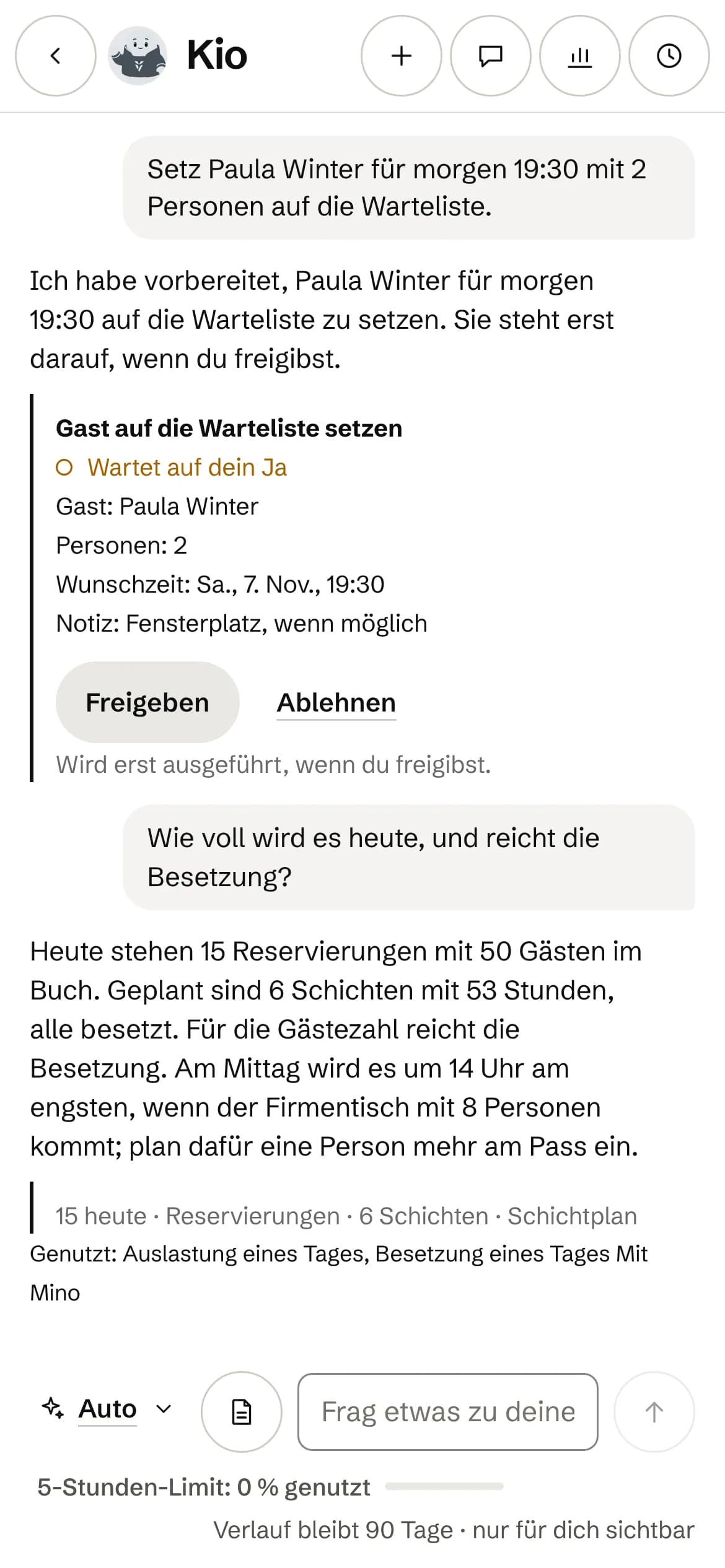
The helpers, each with an area of its own.
 ToniThe day
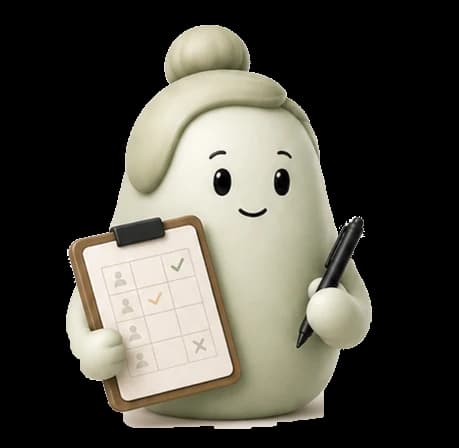 MiraThe team
 BenPurchasing
 KarlaThe numbers
 JoThe till
 RosaOccupancy
 NoraMargin
On the phone. For you and your team.
The Hub runs in the browser, on the phone too. Your team sees its rota, clocks in and swaps shifts in Veydex Shift, with no app store.
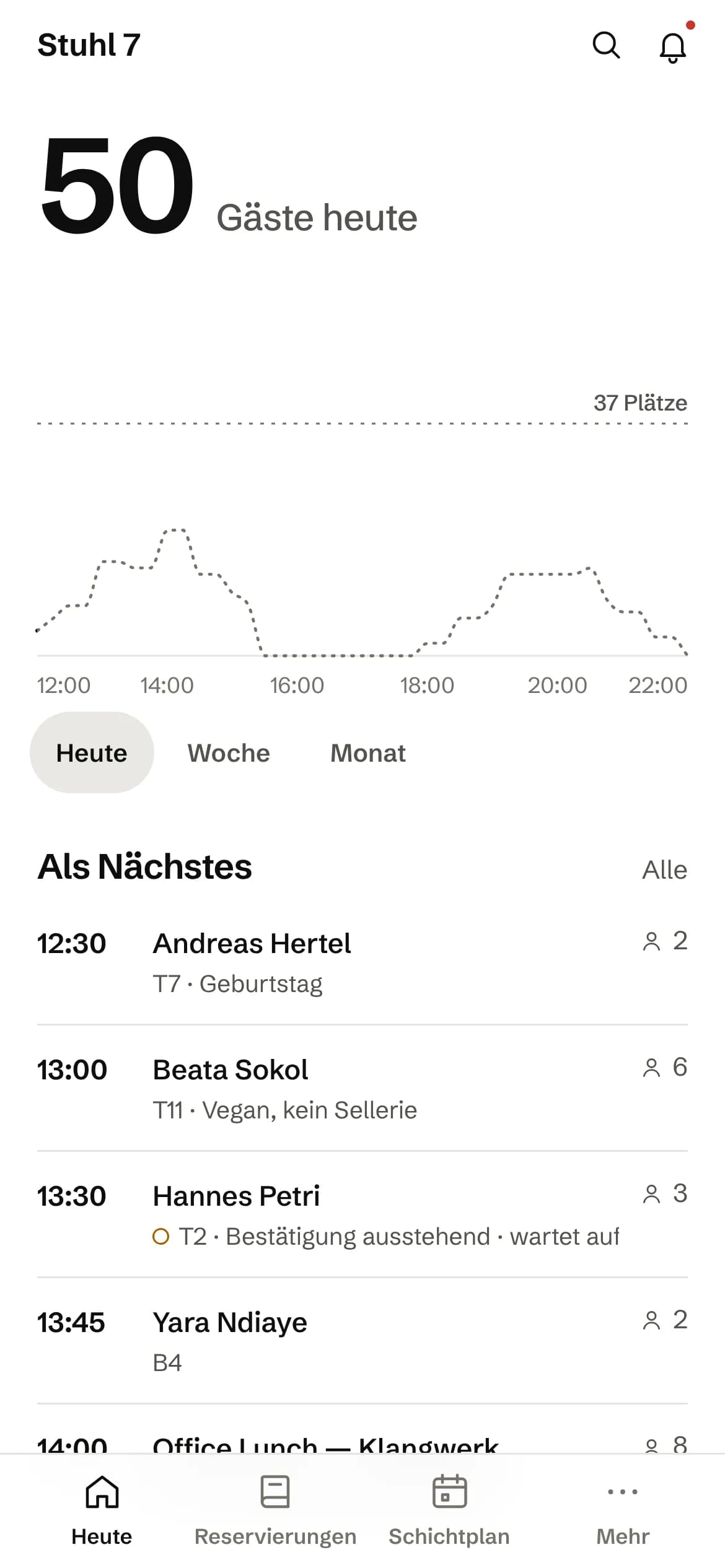
Hub · Today
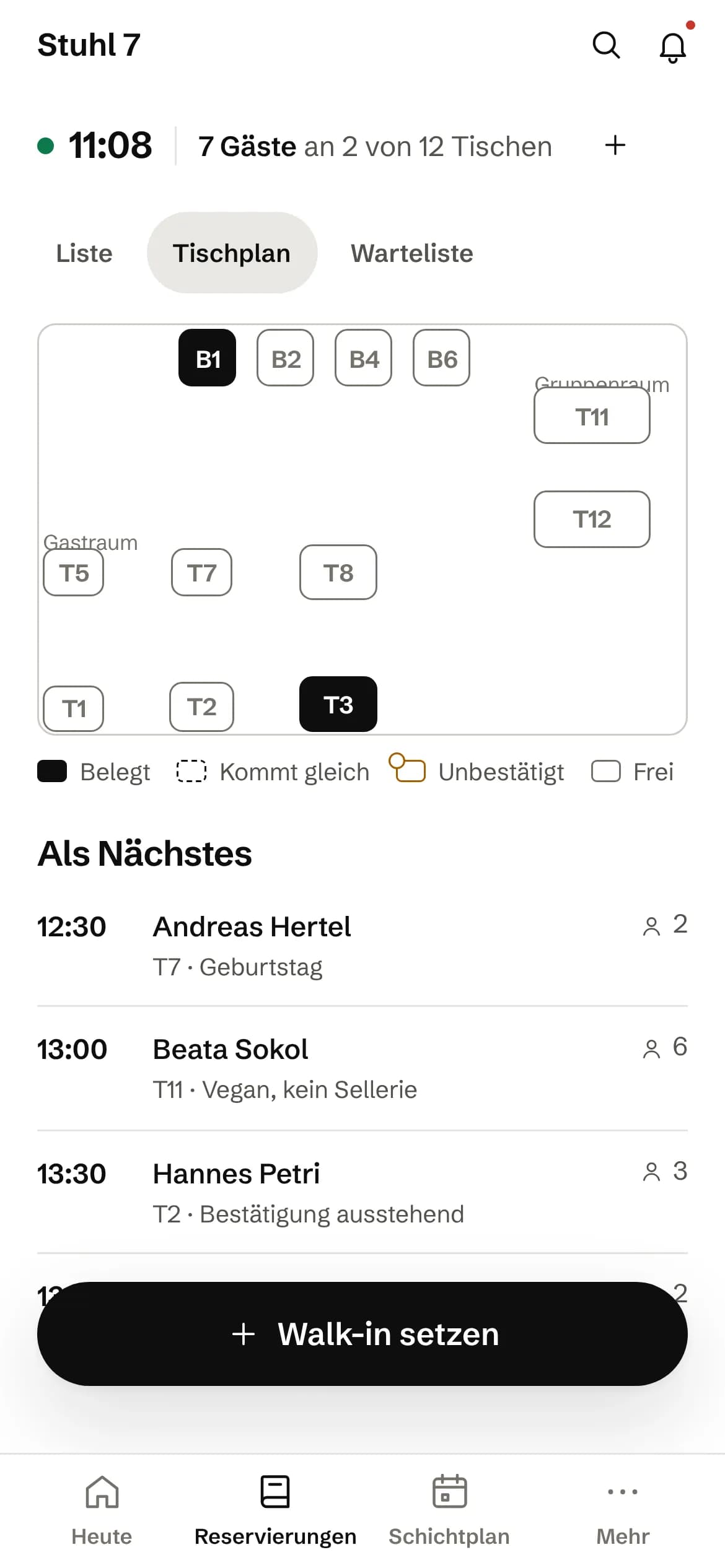
Hub · Floor plan
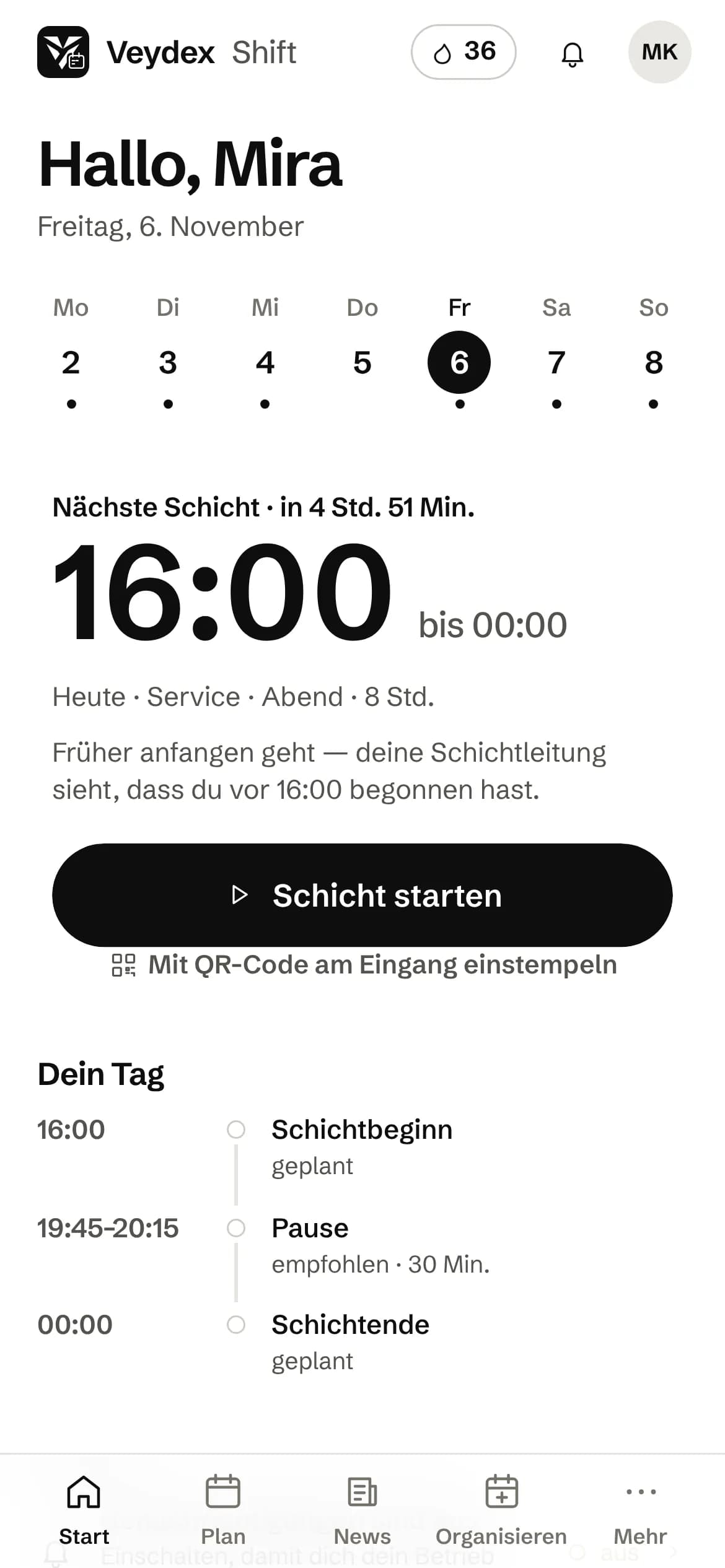
Shift · Start shift
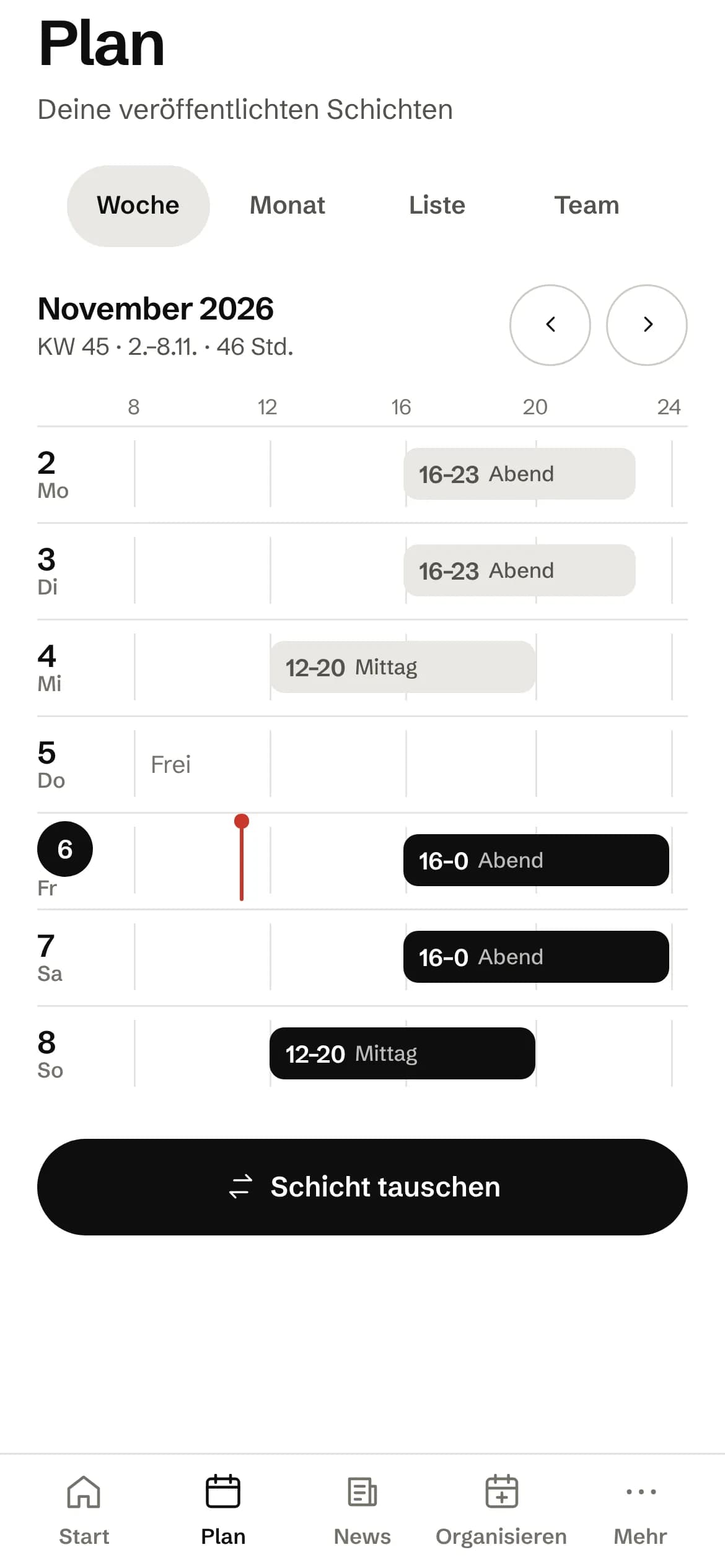
Shift · Weekly rota
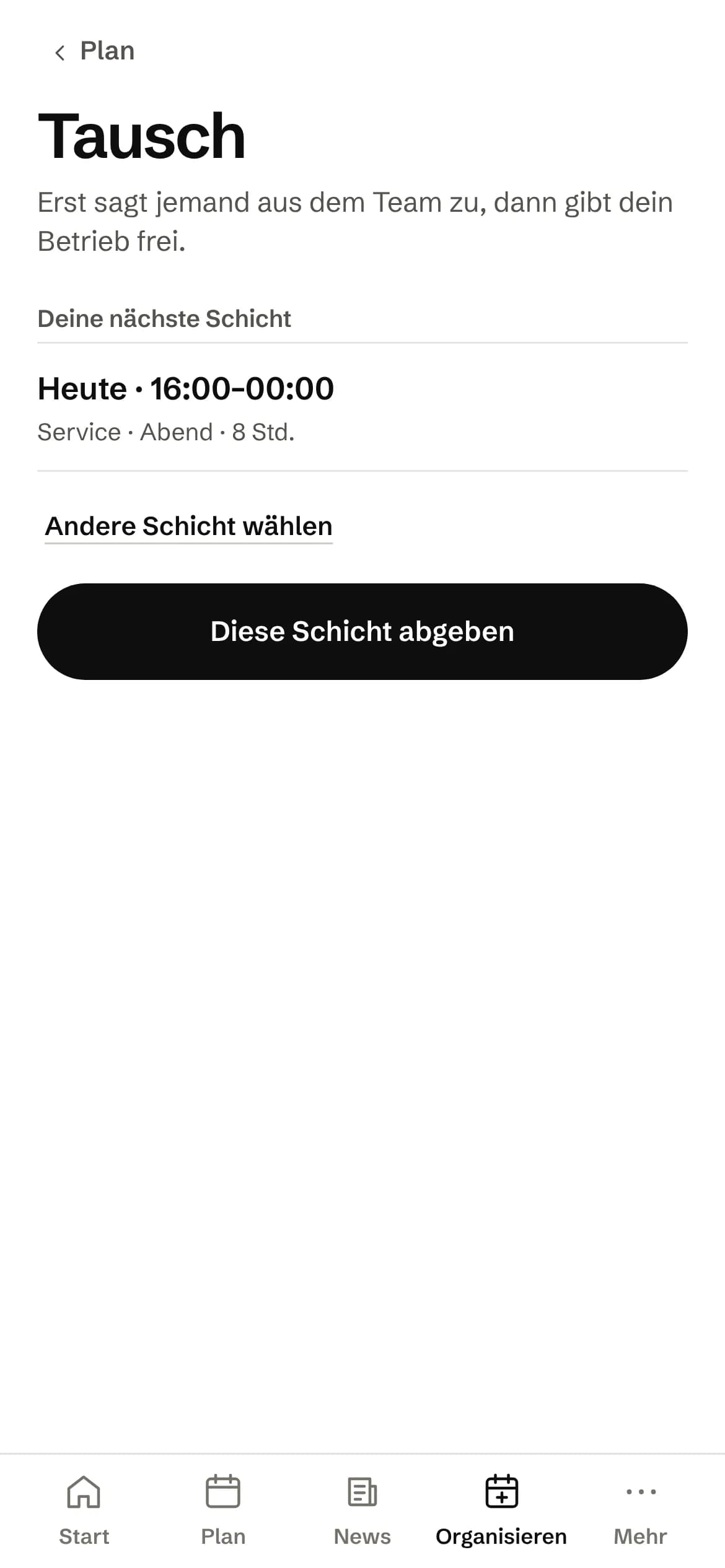
Shift · Give away a shift
Everyone sees what they need.
Invite your team and hand out roles. You can change them at any time. Changes take effect immediately. Not at some point on the next login.
- Owner
- Shift lead
- Accounting
- View only
- Staff
More than one venue? One login is enough.
Switch between your venues without managing different systems or accounts.
And, if you want, its own address: yourvenue.veydex.app
From the first site to a growing group.
The Hub speaks the language of your business.
ReservationAppointment
Ask Kio
Ask Kio how it works.
Kio answers from the same help articles as on veydex.com and links the article. If he finds none, he says so instead of making up a path.
Kio comes with every business: occasional questions are included in the Hub.
Meet Kio- You: How do I give someone from the team access?
- Kio:
Under Settings › Access & roles, choose “Invite access”, enter the email address and choose what the person may do. The link in the email is valid for 14 days.
FromInvite your team
Your till becomes part of the system.
Veydex Connect links existing till systems to the Hub and makes their data usable for the modules you have booked.
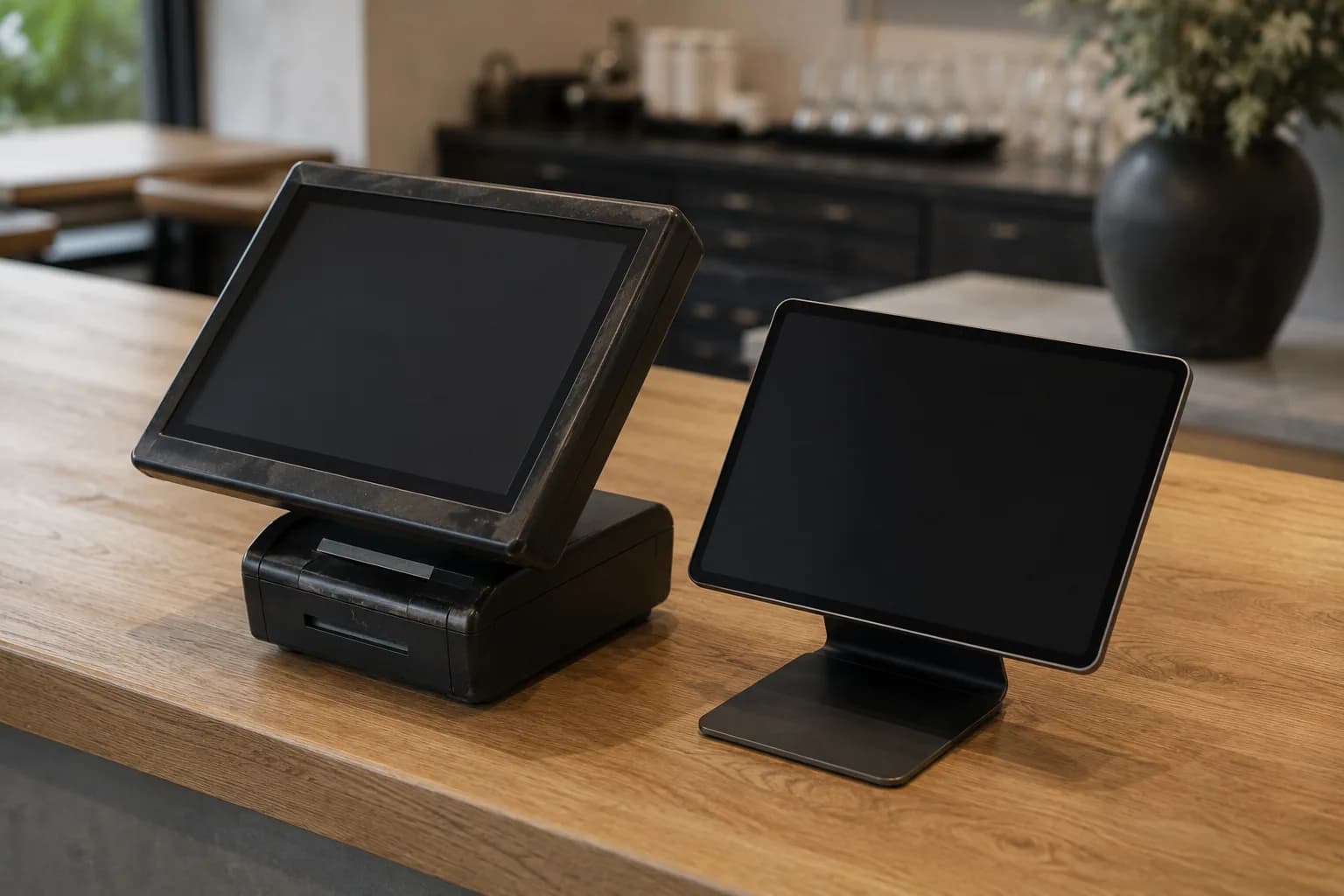
Five connection routes
- API
- Cloud connection
- Local connection
- Direct integration
- Standardised export
And if you do not know how your till gets connected?
Then we take care of it.
And we will not ask you for your till password. If you would rather type it into the Hub yourself, it is not stored.
Your data is not a by-product.
At Veydex, data protection does not start with a cookie banner. It starts with the architecture.
- Permissions are checked on every access.
- Critical areas are kept apart from one another.
- Secrets are stored encrypted.
- Changes are logged without writing sensitive values into the logs.
Just because data exists does not mean everyone should see it.
Security and dataWhere it makes sense, analysis involving staff is aggregated by default. And benchmarks show percentiles and rates, not the raw data of other businesses, and no public league table.
One hub for the whole business. And what sits underneath.
Account, access, sites, calendar and security: what every business gets in the Hub, whichever modules it books, and how it holds the modules together.
01
Modules
You start with what your business needs right now and add more later.
An account with a code
When you sign up, you confirm your email address with a code before the account exists. You also pick at least one module to start with.
A trial that ends by itself
A few days before a trial ends, a message arrives with the last day and the price per module, in the inbox and by email. If you do not keep a module, the trial ends and nothing is charged.
Foundations come along
If one module builds on another, the Hub books the foundation with it and will not let you cancel it while something still depends on it. Recommendations are hints and bind nothing.
Not booked means not there
A module you have not booked shows what it would do instead of standing empty. Neither Analytics nor a helper reads its data by a back route.
Your industry as vocabulary
The industry you give sets the words in the Hub, such as guests or customers, and which modules are suggested first. It unlocks nothing and switches nothing off.
02
Access
Everyone on the team sees what their work needs, and not the rest.
Granted, not forbidden
A team login gets the work areas of a shift: reservations at the pass, hygiene checks, loyalty at the counter and their own rota in the Veydex Shift app. Whatever does not belong there does not exist for that login.
Trimmed, not just hidden
In the team list the team sees names and roles, no hourly wages and no email addresses. A team login does not see revenue, labour cost or billing.
Through the team's eyes
In the settings you can see the Hub the way a team login sees it, before you invite anyone.
The owner hands out roles
Only the owner grants and withdraws access and roles. The server checks rights on every request, and a change applies at once.
One login for both
Whoever is invited signs in with the same login in the Hub and in the staff app.
03
Sites
From the first venue to several, in an order that never shifts anything after the fact.
A business day per site
Every site has an address, a time zone and its own time at which the business day ends. A sale at two in the morning then still counts towards the evening before.
Changes apply going forward
If you move the day boundary or reassign a till, it applies to new data. What is already booked keeps its day, so old reports stay correct.
Brands, if you need them
If you run several concepts under one company, you group their sites under brands. If you do not, you see none of it.
Closed stays on record
A closed site stays in place with its revenue, so a year-on-year comparison is right. So does a till that has been replaced.
One definition of revenue
Revenue is defined in one place in the Hub. The overview, Analytics, the helpers and exports all use it and therefore show the same figure.
04
Without a module
What every business needs is in the Hub without you booking anything for it.
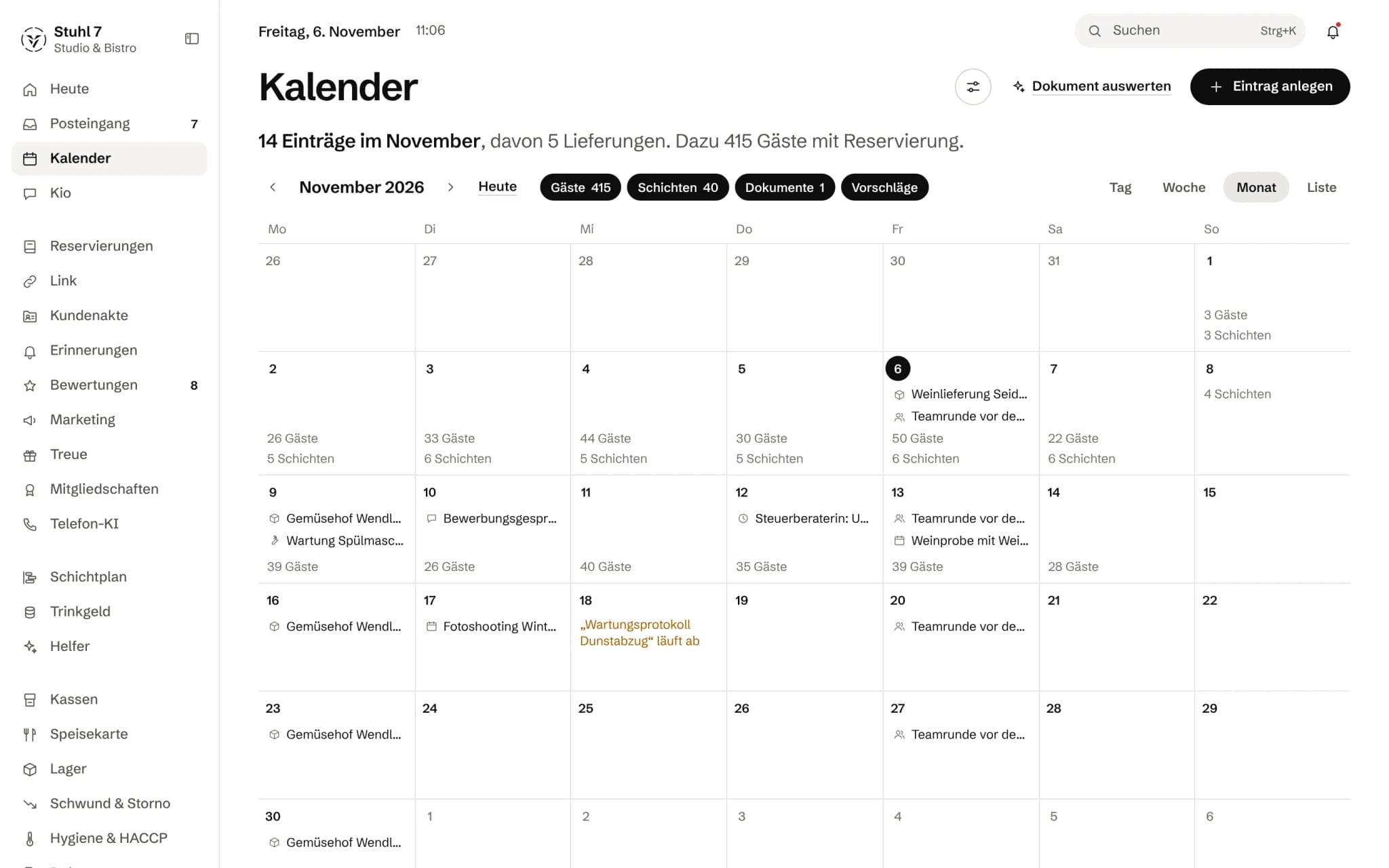
One calendar for the business
Deliveries, inspections, maintenance, deadlines, company holidays, with series and reminders into the inbox. Booked modules add appointments and reservations to the same calendar.
Closed blocks the rest
An entry marked “closed”, say for stocktaking or a private party, blocks that time for reservations, appointments and the phone AI.
Dates from letters and emails
Upload a letter, an email, an invoice or a calendar file and the Hub reads the dates out of it. Certain ones it enters, uncertain ones it lays out as a suggestion; every entry keeps its source and can be undone.
Inbox and search
What the modules report lands in one inbox. A keyboard shortcut takes you to any area you have booked.
Ask Kio
Kio is in the sidebar under Today, for every role in the business. He answers questions about the areas you have booked and about using the Hub, with a link to the help article, and lays out changes for your approval. Occasional questions are included, roughly 20 a month; the Helpers bring more usage.
05
Security
What protects your account, you set yourself and see yourself.
Second factor
With an authenticator app, a guessed or reused password on its own is no longer enough to get into your account.
Sign-ins in view
The latest sign-ins to your account are listed in the settings. If one comes from a new device you get an email, and one button signs out every other device.
Activity log
Changes to the settings go into the log, with who and when. Right after saving, a change can be undone.
Take it with you, or delete it
What is stored about you as a person you download as a PDF. The business's data you export inside the modules; a workspace you delete for good after typing its name.
What it does differently. And why that matters.
Who in the business gets what out of it.
Technical details and data
Data
All modules of a business work on one shared data base, separated per workspace. Access to one business is no access to another.
Devices
The Hub runs in the browser, on a computer, a tablet and a phone. Some things you set up at a computer, such as connecting a till or the helpers' levels and limits. For the team there is Veydex Shift as a web app, no app store needed.
Preview
On the Hub's sign-in page, “View the demo” opens a sample business with made-up data. The Hub says there that it is a preview, and leads you to your own business.
Catalogue
What is not finished cannot be booked in the Hub. A module on the waiting list takes no order.
Interfaces
For till makers and system houses there is a documented interface through which receipts reach the Hub, with a key of its own per business.
What it does not do today
Listed here so you know before, not once you are running it.
An open interface for your own programs is in place but not yet public.
For now, only Veydex issues access to it.
Several workspaces cannot be grouped under one shared brand.
Brands and sites apply within one business.
A changed day boundary does not recalculate past days.
It applies from the change onwards.
Not everything works on a phone.
You connect a till at a computer, and you set the helpers' level, rhythm and limits there.
Questions before you start
What businesses want to know before they switch it on.
Do I need a particular till for the Hub?
No. The Hub also runs without a till connection; Reservations, the rota or Documents manage without till data. Whatever calculates from receipts needs the connection through Connect, and whether it works with your system we check before you book.
Does my team see my revenue?
No. A team login sees the work areas of a shift, but no revenue, no labour cost and no colleagues' wages. You can look at it through the team's eyes beforehand.
I have two venues. Do I need two accounts?
No, one login is enough. If they run separately, you set up two workspaces with their own modules. If they belong to one business, you set them up as sites and analyse revenue venue by venue. What that costs together, we work out with you once.
What happens at the end of the trial?
A few days before, you get a message with the date and the price per module. Keeping a module means booking it explicitly; otherwise the trial ends by itself and nothing is charged.
Can I look at the Hub before creating an account?
Yes. “View the demo” on the sign-in page opens a sample business with made-up data. The screens on this page come from exactly that demo mode.
What does the calendar do if I book no module for it?
It is your business's calendar: your own dates, deadlines, series, company holidays, with reminders into the inbox. With Reservations or the appointment book in Reminders, their entries join it, in the same calendar and not in a second one.

Start small. The Hub grows from there.
And extend Veydex when you need more. Not before.
- 01Create your business.
- 02Invite your team.
- 03Choose your modules.
- 04Connect your till.
14 days to try it, and the trial ends by itself.