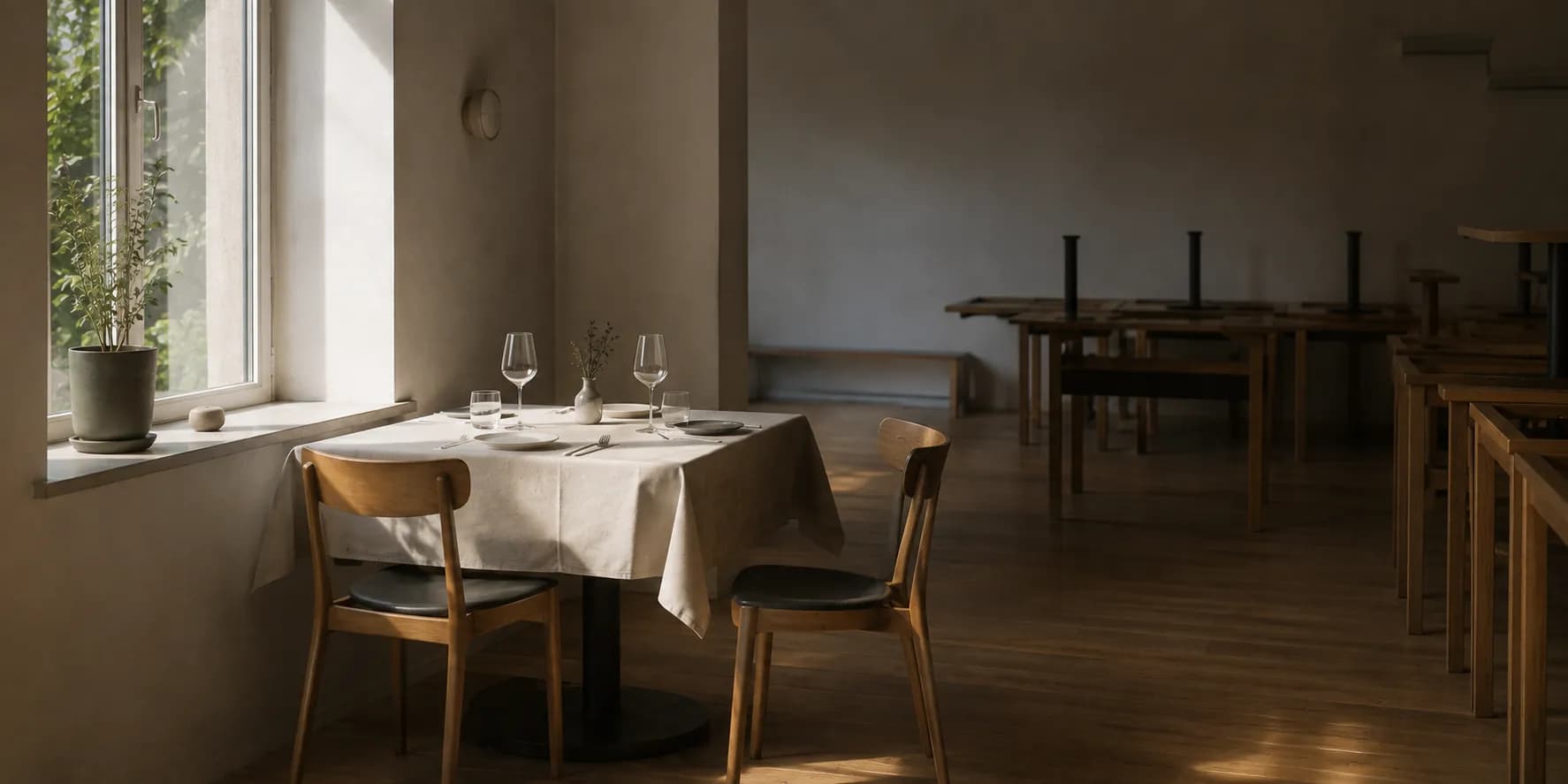
 Reservations
Less idle time. Fewer no-shows. More tables filled.
A reservation is only a good reservation if it fits the venue: a free table, a workable time, a realistic dwell time. Veydex checks that before it says yes — not afterwards.
Reservations that know your venue.
Veydex Reservations brings bookings, availability and table occupancy into one place. Guests book online, your team sees at once what is possible, and the Hub prevents double bookings automatically.
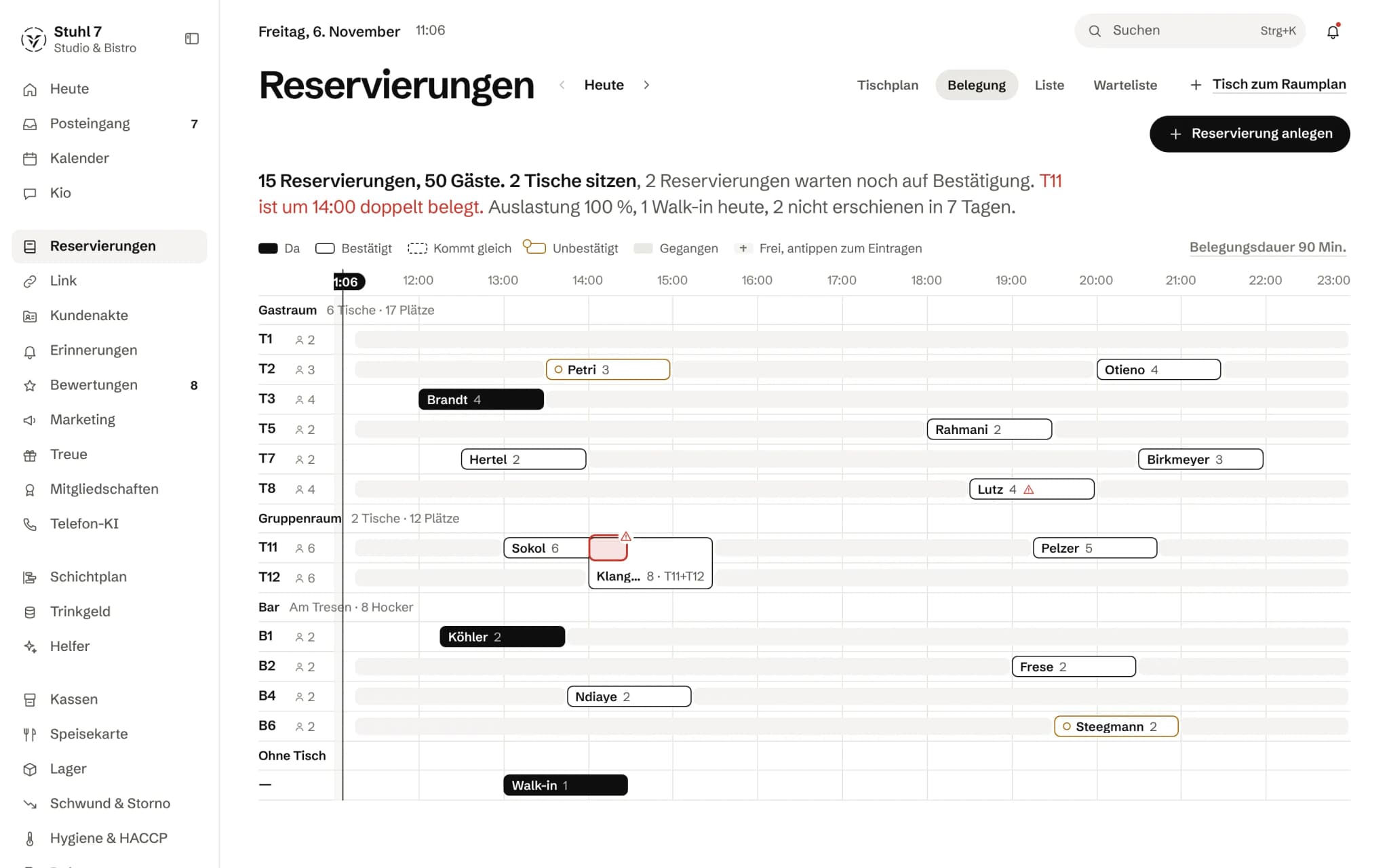
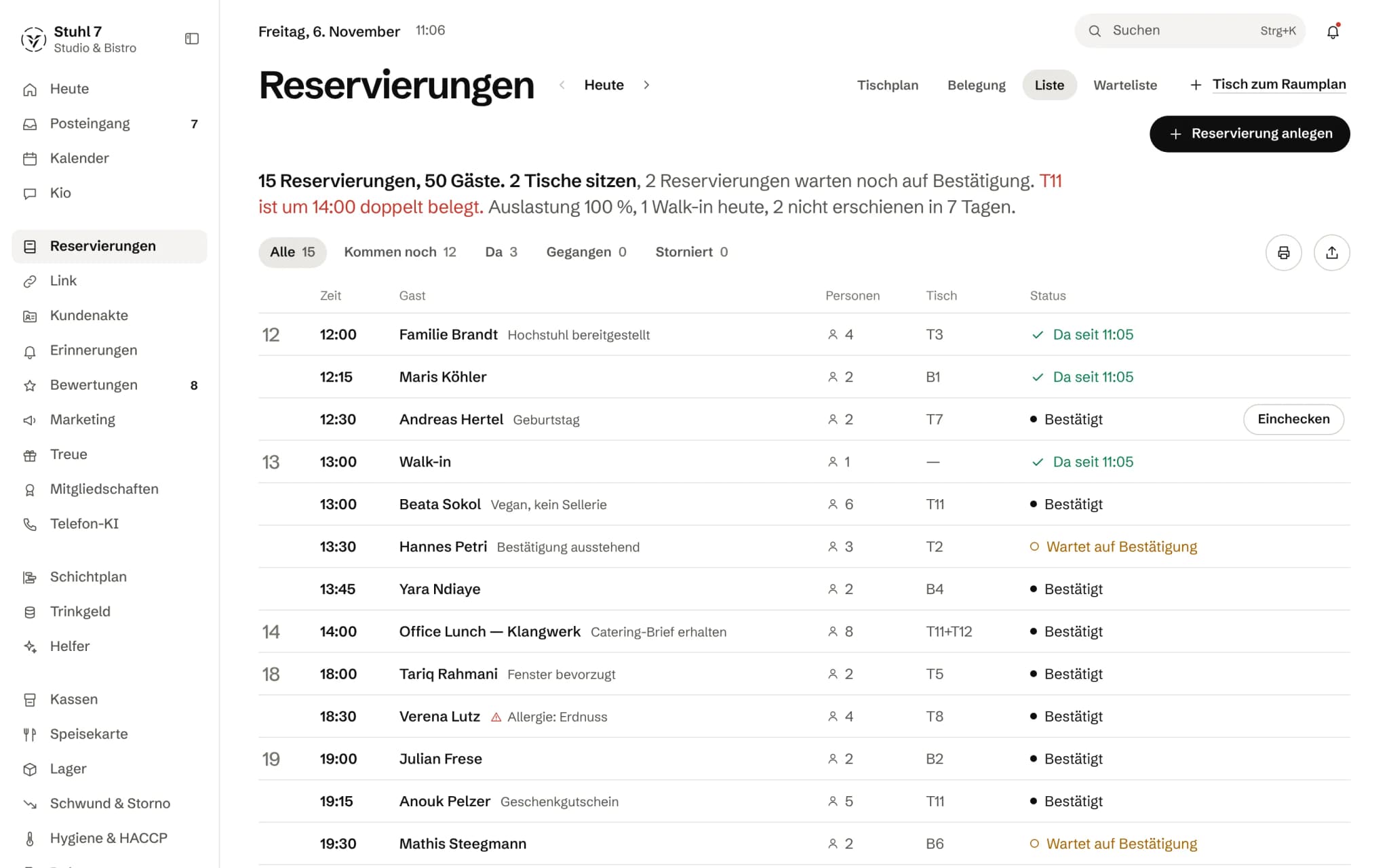
The day in one sentence
Reservations, guests, open confirmations and a conflict in red.
Status at a glance
Seated, confirmed, arriving, unconfirmed: the status shows in the shape of the bar.
One row per table
Each reservation is a bar across its table time.
Double-booked
T11 is taken twice at 2 pm. The Hub shows it at the table.
More about Reservations
Opening hours, kitchen close, capacity, table occupancy and dwell time feed straight into availability. On top of that: waitlists, no-show status and a public booking page for your venue.
A reservation in Veydex
Confirmed only once it actually works.
Nobody opened a calendar. Nothing got double-booked all the same.
- 11:20A guest opens your booking page. Saturday, 8 pm, four people.
- 11:20Veydex checks opening hours, kitchen close, table occupancy and dwell time.
- 11:208 pm will not carry it. 7:15 and 9:30 are offered instead.
- 11:21The guest takes 7:15. The request holds the place until your team confirms it.
- 11:40Your team confirms and seats the party at table 7. The rota counts the four guests in.
What is inside.
- Table and capacity planning
- Online booking page
- Waitlist
- Availability check
- No-show handling
- iCal connection
Ask Kio
Tell Kio. You approve.
Kio lays out the change with its reason, in the chat and in the inbox. Nothing runs until you say yes, and only the owner gets proposals.
Guests get no email from Kio's proposals.
Kio comes with every business: occasional questions are included in the Hub.
Meet Kio- You: Move Petri's reservation on Friday to 8 pm.
- Kio:
Table 8 is free at 8 pm. I am laying the change out for your approval.
Move reservation to Fri, 8:00 pm
- Guest
- Petri, 4 people, table 8
- Before
- Fri, 7:00 pm
Nothing happens until you approve.
One book for every route. One check for every yes.
Whether a guest books on your booking page, over the phone, moves up from the waitlist or turns up at the door: every reservation goes through the same check and lands in the same book.
01
Availability
A booking is accepted only if it fits opening hours, kitchen and tables.
Tables, not a seat total
The Hub works out whether a party fits using your actual tables: every party present at the same time has to be placeable on the tables you have. A party of six does not fit at tables for four, even if the seat total says there is room.
The whole stay counts
Not just the start but the whole table time has to fall within opening hours. A window that runs past midnight belongs to the evening it starts on, and no reservation starts after the kitchen has closed.
Your limits
You set the slot grid, the table time, the largest party, the minimum notice and how far ahead people can book. Larger parties are told to get in touch directly.
Closed days apply everywhere
A closed day in the calendar or a holiday closure at your location blocks the booking page, the phone AI and manual booking alike. Guests see the name you give the closure, such as until when you are closed.
Check and save in one step
If two guests book the last table of the evening at the same moment, the second sees the first one's booking. Checking and saving happen together.
02
Booking routes
Where a guest books changes nothing about the check.
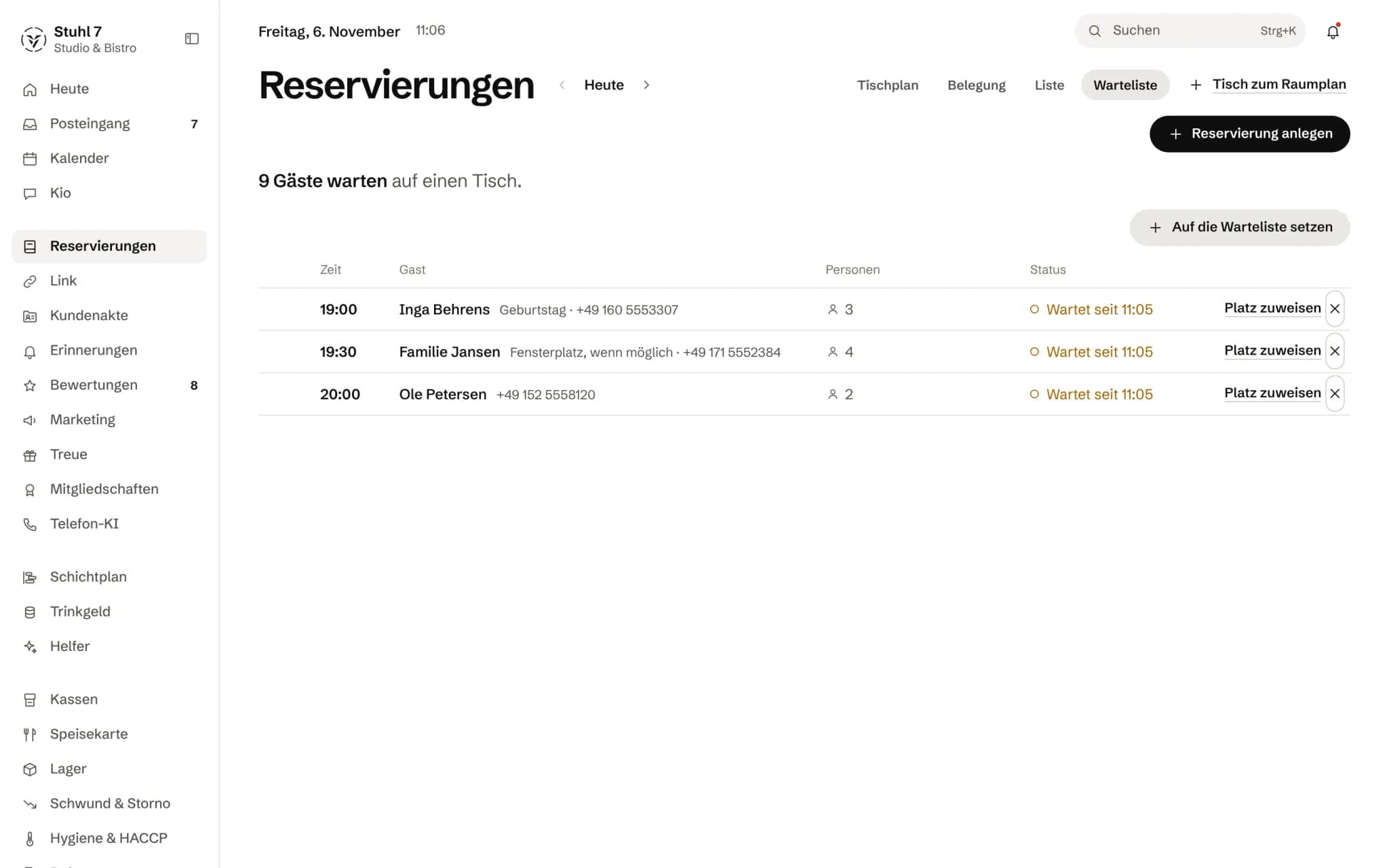
Booking page
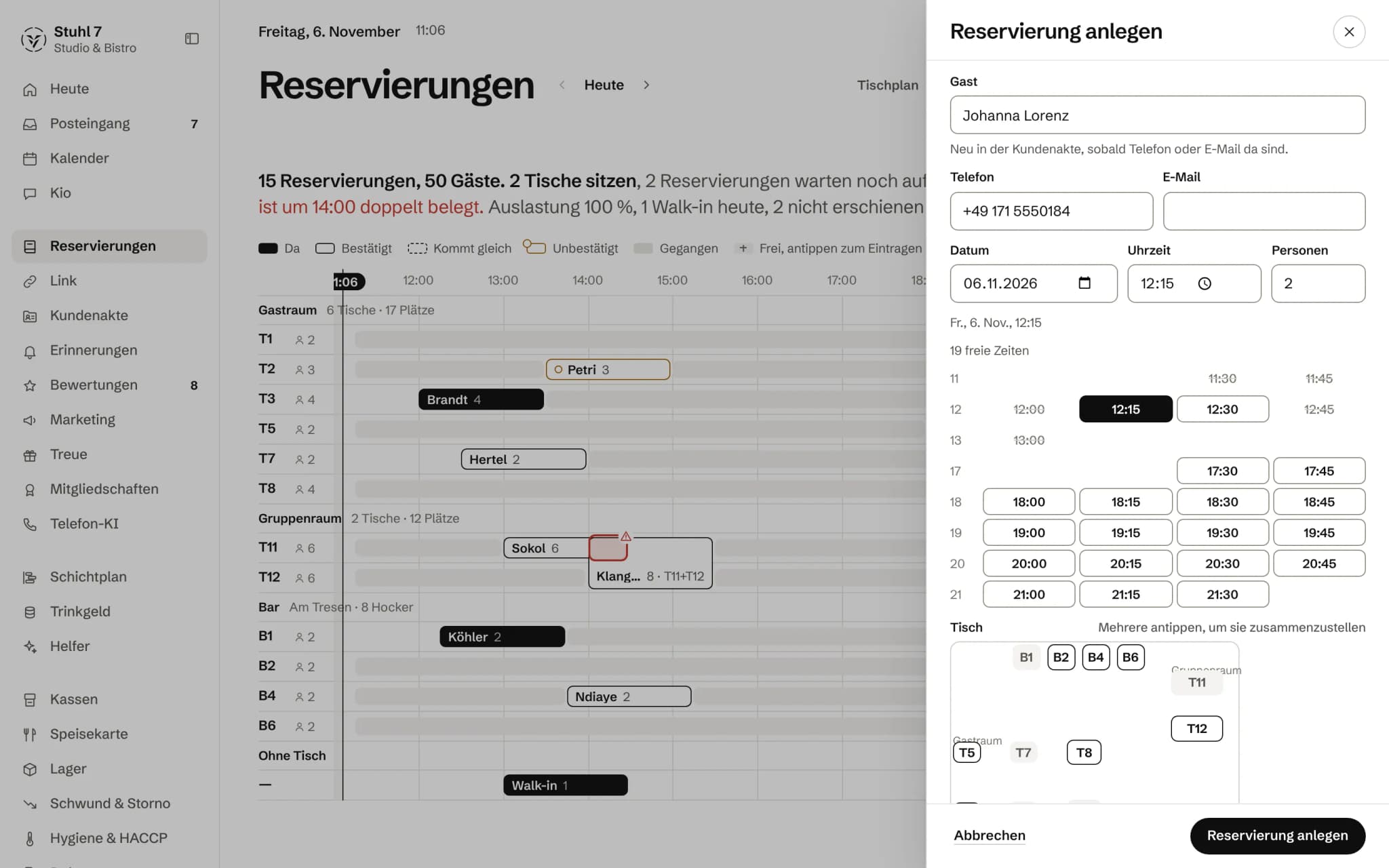
Your venue gets its own booking page, as a link and as a window for your website. Guests see only free times and leave a phone number or email; their booking is a request until your team confirms it.
Phone and Link page
If you use the phone AI, it books against the same check. Requests through your Veydex Link page land in the same book as open requests.
Waitlist
Anyone waiting for a table goes on the list with preferred time, party size and phone number. When a guest moves up, that is a booking like any other, with the same check.
Override, with a record
When the phone rings and a regular is standing in the door, your team can still book. What was overridden goes into the log. A guest on the booking page cannot do this.
03
Floor plan and service
The evening as a room and as a timeline.
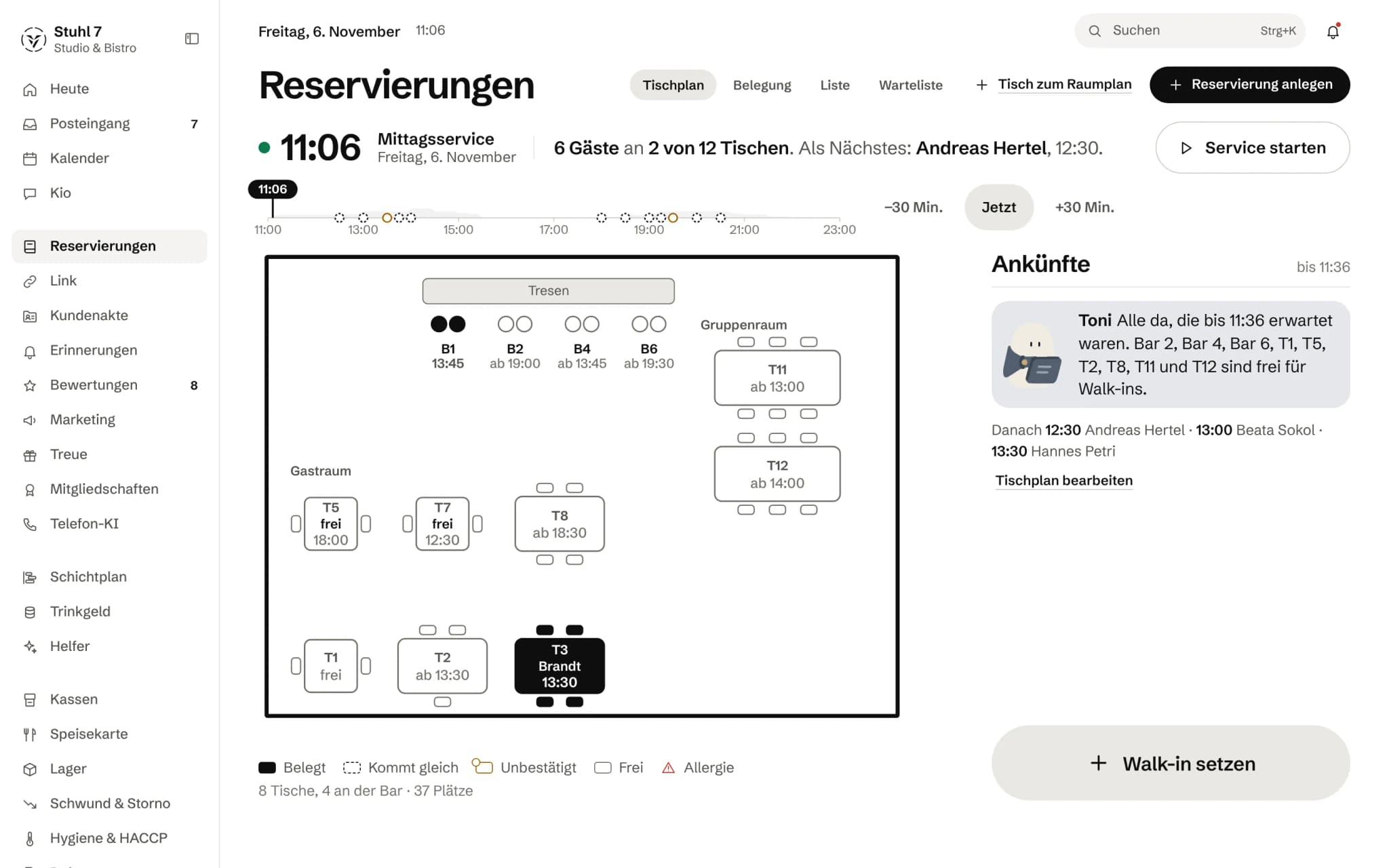
Occupancy
One row per table, each reservation a bar across its table time, free gaps to fill in. A double booking shows in red.
Table clashes, with names
If a table is already taken, the Hub says from when to when and for whom, and names tables that would be free. This check always applies, even before you have set up availability.
Floor plan
You set up tables with seats, area and position in the room; several can be put together for a group. To start with, there is an example plan with twelve tables to adapt.
Start service
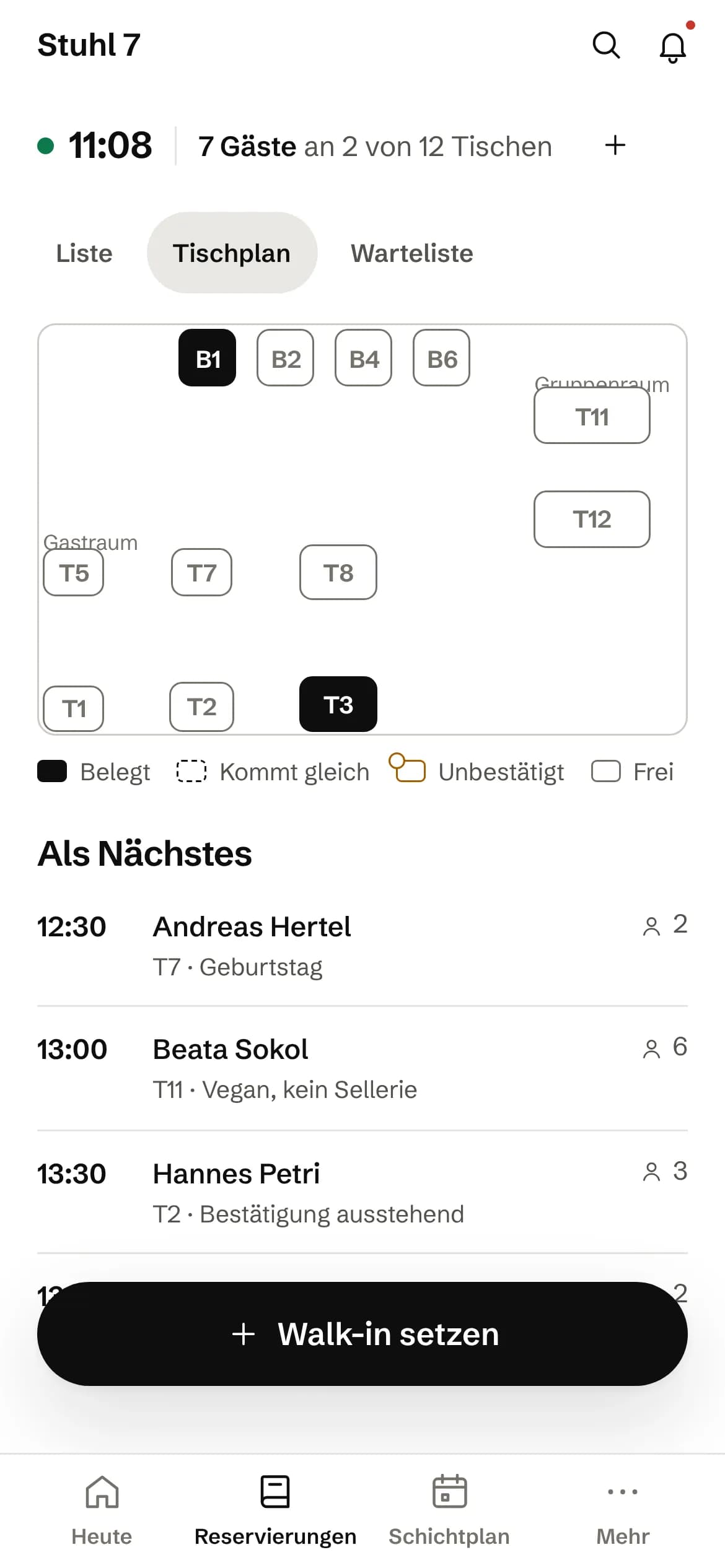
During service the floor plan goes full screen: arrivals with “Is here”, “Seat a walk-in”, large buttons, and the view refreshes itself. A check-in can be undone.
At the door, on a phone
On a phone you get the same floor plan, below it who is coming next, “Seat a walk-in” under your thumb and the waitlist in a sheet of its own.
04
After the entry
What a booking turns into, in the book and in the other modules.
Statuses that mean something
Requested, confirmed, seated, walk-in, cancelled, no-show. Cancelled and no-show guests free the table, and only the owner can delete a booking for good.
Emails to the guest
Confirmation, cancellation and change only go out with a tick, and beforehand you see the text the guest will get. What was sent is shown in the booking's details. An online request is acknowledged to the guest straight away.
Into the guest records
With Guest records, the guest is matched by phone or email, never by name. The form tells you beforehand who the booking will be linked to, and you can turn that off.
For the rota
The rota reads the booked guests per half hour when it works out how many staff are needed.
Export and calendar
The list as a CSV file and a calendar subscription for reservations. The Hub shows the calendar link only once; if it gets lost, you create a new one and the old one stops working.
What it does differently. And why that matters.
Who in the business gets what out of it.
Technical details and data
Opening hours
Opening hours live in one place, at the location, together with kitchen closing and holiday closures. Reservations, the phone AI and the rota read the same ones.
Occupancy
The day's occupancy is measured against the seats in the floor plan; without tables it shows a dash instead of an estimate. The day follows your venue's day boundary: for a bar whose day ends at four, a table at one belongs to the evening before.
Log
Every override goes into the log, with what was overridden, such as which table is double-booked or which holiday closure.
Interfaces
New reservations, status changes and cancellations go out as webhook events, in the same shape whether the booking was made by hand or by the phone AI. The owner sets up webhooks.
Devices
On a computer with occupancy, list, waitlist and floor plan, on a phone with its own view for the door, during service in full screen.
What it does not do today
Listed here so you know before, not once you are running it.
Until you have saved the booking settings, the Hub checks only table clashes and closed days when a booking is made, and the booking page stays closed.
Without a floor plan the Hub checks no capacity: it does not know how many seats you have.
The check seats each party at a single table.
It does not count tables put together on its own; for a large party across two tables, your team overrides.
Online bookings get no table assigned.
They are requests until your team confirms them; the booking page has no automatic confirmation.
The booking page is available in German only.
The booking page takes no deposit and holds no card.
The waitlist does not notify waiting guests by itself.
An allergy appears on a booking only as a note; there is no field of its own there.
Stronger together. Reservations and the rest.
All modules work on the same data. What Reservations knows, the others know too. Switch on what you need and see straight away what it costs together.




Your selection
19 €a month
For new bookings from 1 December 2026: 39 € a month. Book or start your trial before then and you keep your price.
- Reservationsfrom 1 December 2026: 39 €19 €
Net. Try it for 14 days, the trial ends by itself.
Reservations costs
19 €/ month
- For new bookings from 1 December 2026: 39 € a month. Book or start your trial before then and you keep your price.
- Try it free for 14 days, the trial ends by itself
- Cancel monthly, with fourteen days' notice to the end of a billing month
- No base fee, no bundle
- All prices net
Questions before you start
What businesses want to know before they switch it on.
What happens if two guests book the last table at the same time?
The second sees the first one's booking. Checking and saving are one step, even when several requests arrive at the same moment. The second guest is told that nothing is left at that time and picks another free slot.
Can my team still double-book a table?
Yes, on purpose: with “Book anyway” your team overrides the check, and the log records what was overridden. On the booking page this is not possible.
Can I put the booking on my own website?
Yes. The booking page has its own link and can be embedded as a window in your website. It shows only free times and is available in German only for now.
Do I have to set up a floor plan?
No, but without tables the Hub checks no capacity, only opening hours, notice and party size. With tables it works out whether the parties of an evening really have room. To get started there is an example plan you adapt.
Do I need Guest records for this?
Not for the book itself. Without them, though, the Hub does not recognise a returning guest, and reminders for reservations find no address, because they read the contact from the record.
Can a guest see how busy I am?
No. The booking page gives out only free times. It does not reveal whether an evening is fully booked or how many tables are taken.
Is there a deposit or a fee when someone does not show up?
Not through the Hub's booking page yet. You mark no-shows; with Guest records they are counted, and anyone who failed to show twice appears in the segment “Repeat no-shows”.
Where do I maintain opening hours?
In one place in your venue's settings, together with kitchen closing and holiday closures. The booking page, the phone AI and the rota read the same hours, so you do not enter them twice.