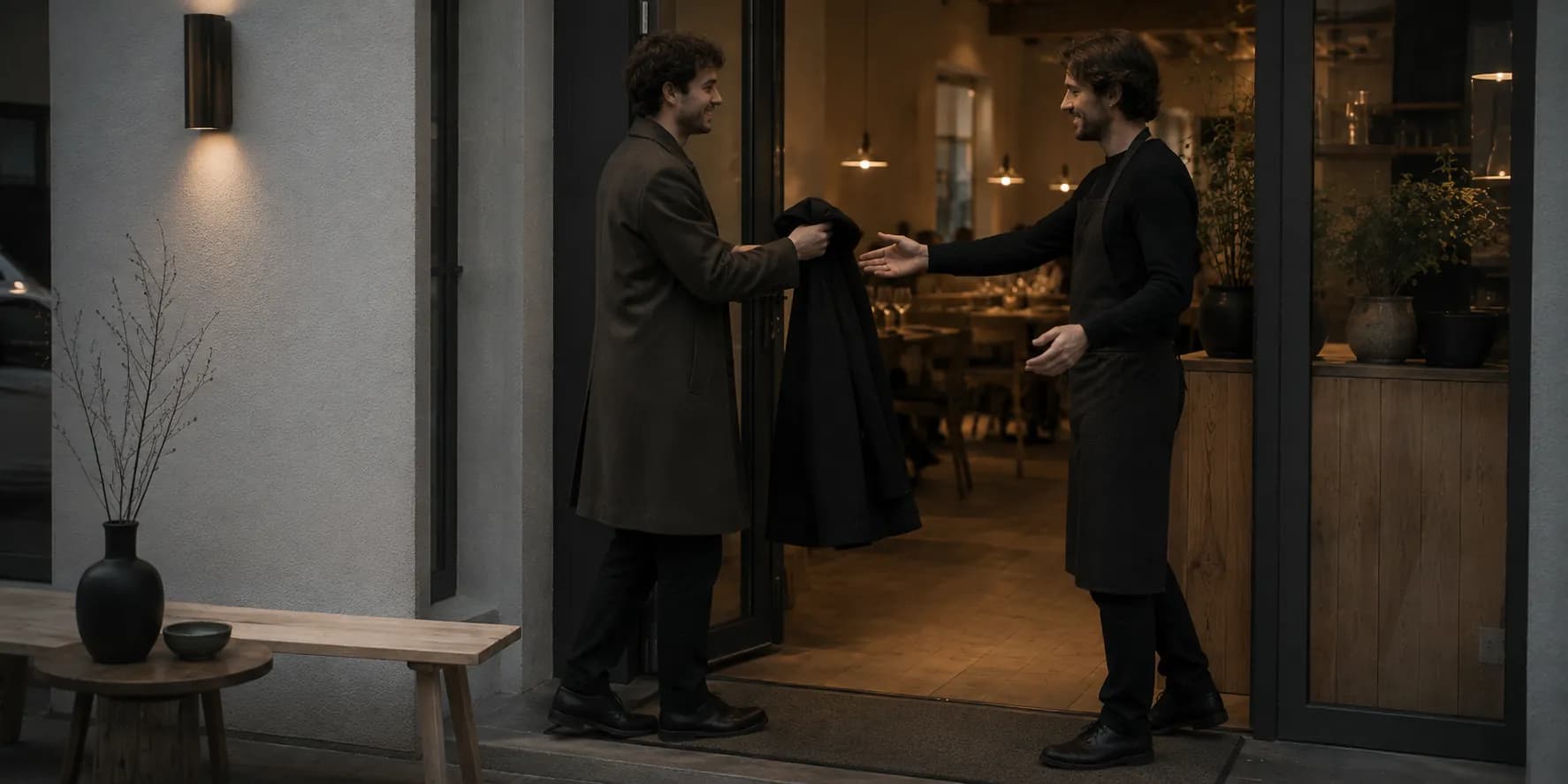
 Guest records
Every visit says something about your guest.
What your team knows about a guest usually lives in five heads and one notebook. Guest records turn that into a profile that is already there on the next visit.
Your guests are more than single reservations.
Veydex Guest records ties reservations, visits, notes and guest details into one shared profile.
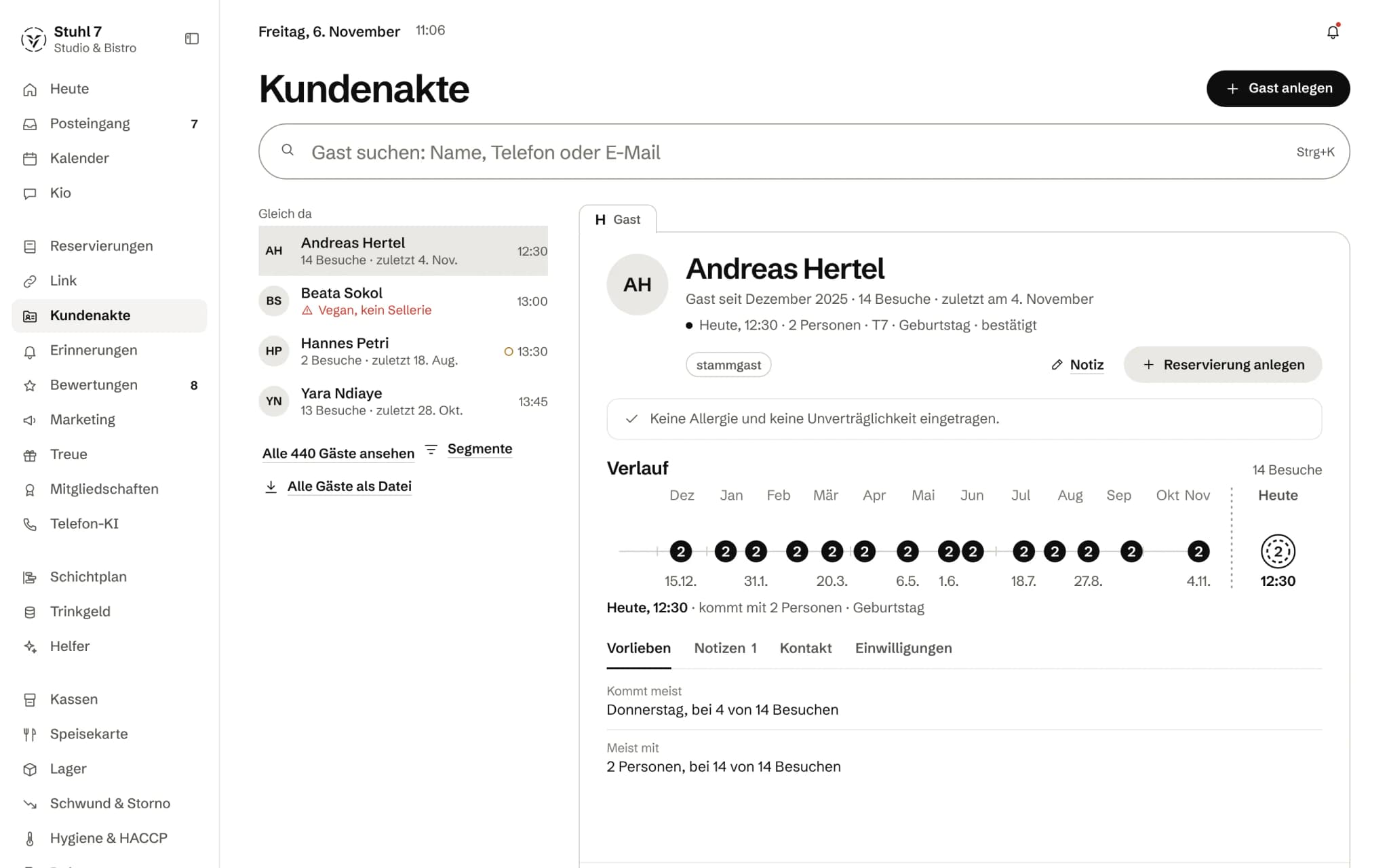
The profile
Guest since when, how many visits and whether they are coming today.
Allergies first
Whether an allergy is on record sits right below the name.
Twelve months at a glance
Each visit a dot, today's as a ring.
Habits from the visits
“Usually comes on Thursday, on 4 of 14 visits”, with the count it is based on.
More about Guest records
When the same guest books again, Veydex recognises them automatically. Allergies, notes, visits, no-shows and the last visit stop living in people's heads or in separate tools.
The same guest, second visit
The second time does not start from nothing.
Every visit says something about your guest. Provided someone is still there to listen.
- 01Ms K. books online — for the second time, after a visit in March.
- 02Veydex recognises her by phone number or email and does not create a second record.
- 03On the day of the visit the “Today” overview shows the owner on the phone what the record knows: nut allergy, one visit, the last in March.
- 04He writes it on the booking. There the floor reads it in the list and the table plan, while laying up and not while serving.
- 05After the visit the history grows by one line.
What is inside.
- Guest profiles
- Visit history
- Allergies
- Notes
- Automatic matching
- Segments
- Export
- No-shows
Ask Kio
Ask Kio instead of searching.
Kio reads along in the areas you have booked and answers in whole sentences, with the figures and where they come from.
Kio only sees names once the owner allows it.
Kio comes with every business: occasional questions are included in the Hub.
Meet Kio- You: How often has Ms Ahrens been in this year?
- Kio:
Seven times, last on 18 October, mostly on Fridays as a pair. Allergies and notes I do not read; they are in her record.
One guest, one record. Filled by what happens in your venue.
Every reservation with a phone number or email finds its guest. Visits, no-shows, notes and consents then sit in one place, and the other modules look them up there.
01
Recognising guests
Bookings turn into people, without anyone creating duplicates.
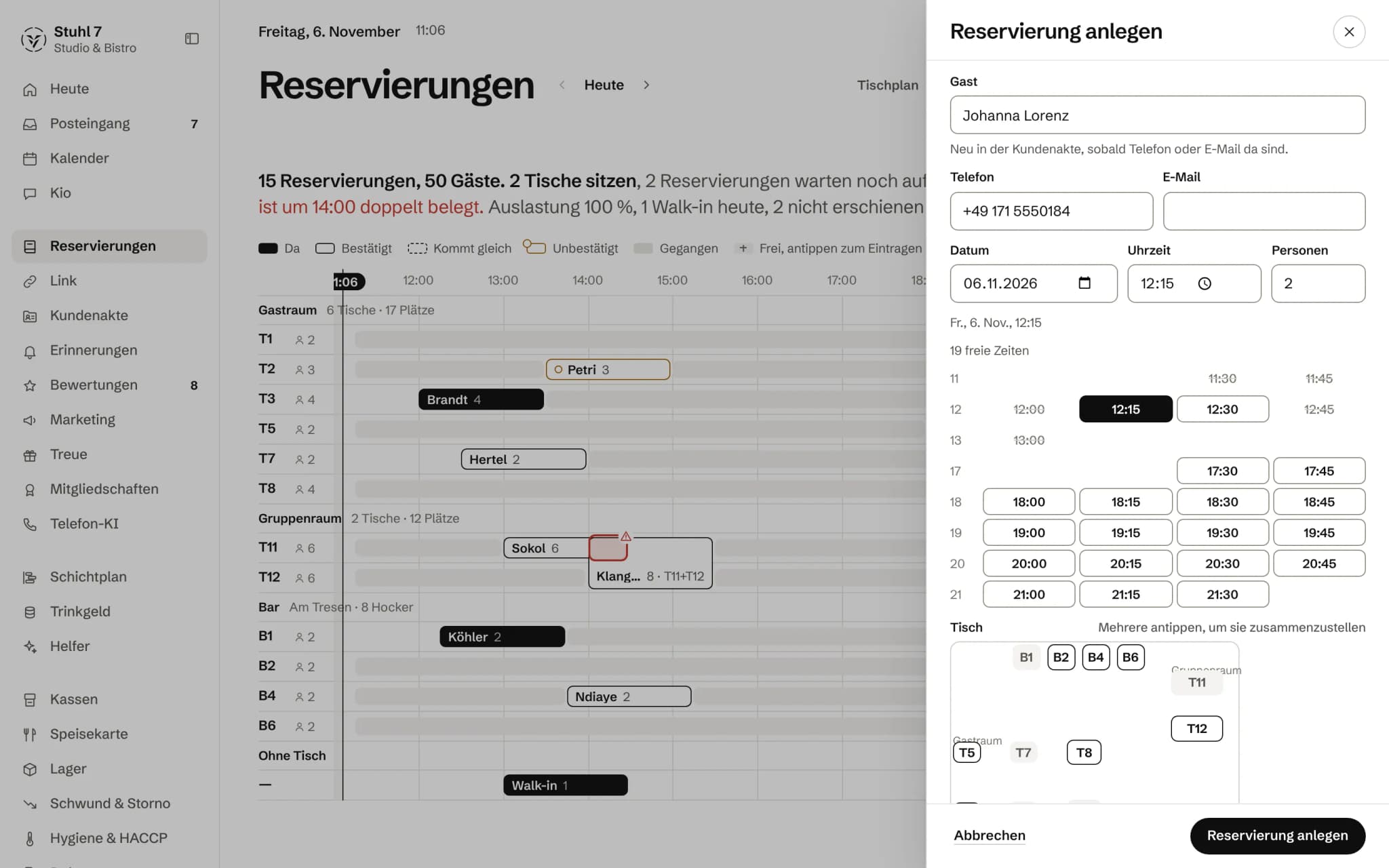
Phone and email, never the name
Matching goes by phone number, otherwise by email address. The name is never the key: two Weber families stay two records.
No guessing
There is no fuzzy search and no merging of similar entries. Better two records than one that carries someone else's allergy.
From every route
Bookings made by hand, on the booking page, by the phone AI and through your Link page end up with the right guest. What comes in without a login is matched, but never changes an existing record.
Told before saving
When you create a reservation, the form shows who it will be linked to and why, such as “same email”. If that is wrong, you choose “Don't link”.
Duplicates when adding
If you add a guest by hand whose number or address already exists, the Hub shows the existing record. You open it, or you save anyway on purpose.
02
History
What a guest has been to you sits in one place.
Visits from the status
A reservation marked “seated” or “walk-in” counts as a visit, “no-show” as a no-show. An upcoming booking is not yet a visit, and taking a status back also takes the visit back.
Numbers that do not drift
The Hub recalculates visits and no-shows from the history every time instead of counting up. If a status flips back and forth three times, it is still one visit.
Twelve months at a glance
The record card shows every visit of the last twelve months with party size, cancellations and no-shows as points of their own, and the next reservation next to them.
Preferences from the visits
The most frequent weekday and the most frequent party size, each with “on x of y visits”. Below three visits, the record says there are too few for a pattern yet.
Visits without a reservation
Someone who comes without a reservation gets into the records if you enter them as a walk-in reservation with a phone number or email and check them in. Appointments from the appointment book count too: “done” is a visit, “no-show” a no-show.
03
Notes and segments
What the team needs to watch out for, and whom you can find on purpose.
Allergies, notes, tags
Each guest has a field for allergies, notes and your own tags. Every tag becomes a segment of its own, and every line in the notes is one note.
Warnings first
Allergy, block and repeated no-shows sit at the top of the record card, before anything else.
Segments
Regulars with three or more visits, not seen for 90 days, never visited, marketing allowed, repeat no-shows, blocked, plus your own tags. Count and list come from the same condition.
Before the visit, on a phone
In the “Today” overview, a tap on the next reservation opens the guest: allergy from the record, number of visits, last visit and the number to call.
04
Consent and privacy
Who may receive what is recorded once and applies to every message.
Two consents
Reminders and marketing are kept apart because they rest on two different legal grounds: a reminder about a reservation is part of the contract, a newsletter needs consent.
One no for everything
If the record says “Reminders: no” or the guest is blocked, they get no reminder, no email about their reservation and no request for a review.
Access and deletion on the profile
You download a guest's data access request as a file: master data, consents and all visits. Deletion sits on the same profile.
All guests as a file
You download all of Guest records as one file, with visits, no-shows, allergies, notes, tags and both consents.
What it does differently. And why that matters.
Who in the business gets what out of it.
Technical details and data
Matching
Phone numbers are reduced to digits and a leading zero becomes the German country code; email addresses are compared in lower case. The guest's own spelling is kept alongside.
Permissions
Only the owner sees the records. Shift leads, the team and accounting have no access to them.
Export
All guests as a CSV file, not just the 100 the list shows. Excel opens it with umlauts intact.
Origin
Every record carries how it came about: by hand, from a reservation or from an online booking.
What it does not do today
Listed here so you know before, not once you are running it.
Two records of the same person cannot be merged; the Hub only warns when you add one.
There is no birthday field and no reminder for it.
The record does not hold a favourite table or drink; preferences are worked out from weekday and party size.
You cannot add a visit without a reservation by hand in the record; you add a walk-in reservation instead.
A till receipt carries no name.
Importing a guest list from a file is not possible in the interface yet.
The allergy from the record does not appear in the reservation list or the floor plan; there, the note on the booking counts.
The record does not keep who wrote a note, only the day of the last change.
Stronger together. Guest records and the rest.
All modules work on the same data. What Guest records knows, the others know too. Switch on what you need and see straight away what it costs together.




Your selection
12 €a month
- Guest records12 €
Net. Try it for 14 days, the trial ends by itself.
Guest records costs
12 €/ month
- Try it free for 14 days, the trial ends by itself
- Cancel monthly, with fourteen days' notice to the end of a billing month
- No base fee, no bundle
- All prices net
Questions before you start
What businesses want to know before they switch it on.
How does the Hub recognise a returning guest?
By the phone number, otherwise by the email address. The name never counts, because “Müller, four people” is ambiguous in every venue. A booking without a number or address stays without a record until someone adds one of the two.
What if a family shares one number?
Then the booking would be linked to the existing record. The form says so beforehand, and with “Don't link” the booking stays on its own. By hand, after the duplicate warning, you create a second record on purpose.
Can I bring over my existing guest list?
Not through the interface yet; there is no import from a file there today. Guests come from reservations with a phone number or email and through “Add guest”. Exporting works at any time.
Does my team see Guest records?
No, only the owner. The bookings your team takes still end up with the right guest.
What do I do when a guest asks for their data or for deletion?
Both sit on the profile. You download the data access request as a file with master data, consents and visits, and deleting removes the record.
Which modules need Guest records?
Loyalty, Marketing and Memberships require them. Reminders for reservations take the address from the record; without it they go to nobody. Reservations themselves work without it.
Do guests who never book count?
If you enter them as a walk-in reservation with a phone number or email and check them in. Appointments from the appointment book count too. Someone who only pays at the till stays unknown, because the receipt carries no name.
Know who is coming — before the guest walks through the door.