
 Rota
Do not just plan shifts. Plan the operation behind them.
A weekly plan is a staffing decision dressed up as a table. Veydex shows it for what it is: coverage, cost and staffing against the occupancy you expect.
Your team. Your week. One plan.
With Veydex Shift plan you see at a glance who works when, how many hours are planned, and what your staffing costs.
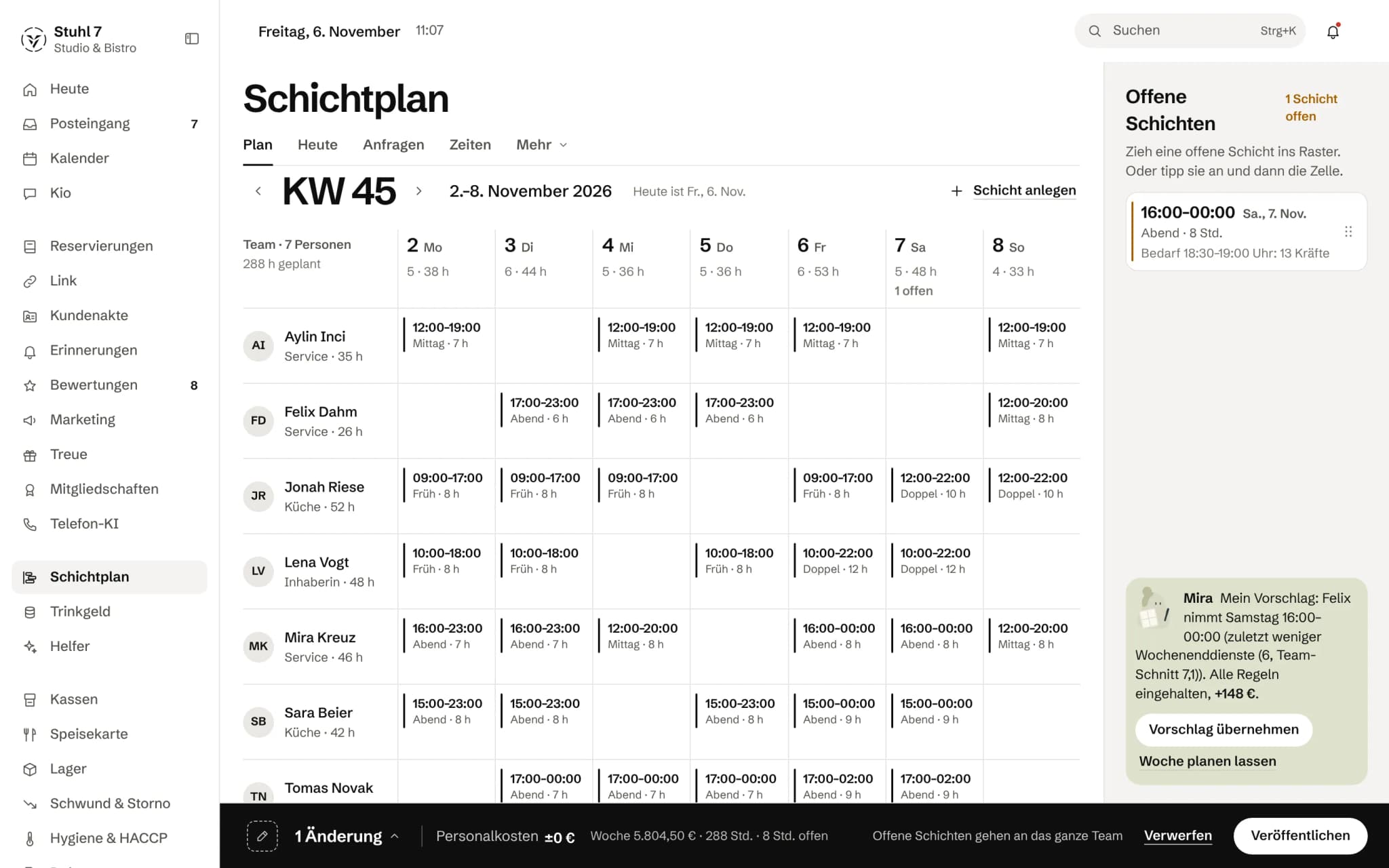
The week grid
Each person's shifts for the week, with the hours per day above.
Cost and publishing
The week's labour cost along the bottom. Only “Publish” sends the plan to the team.
More about Rota
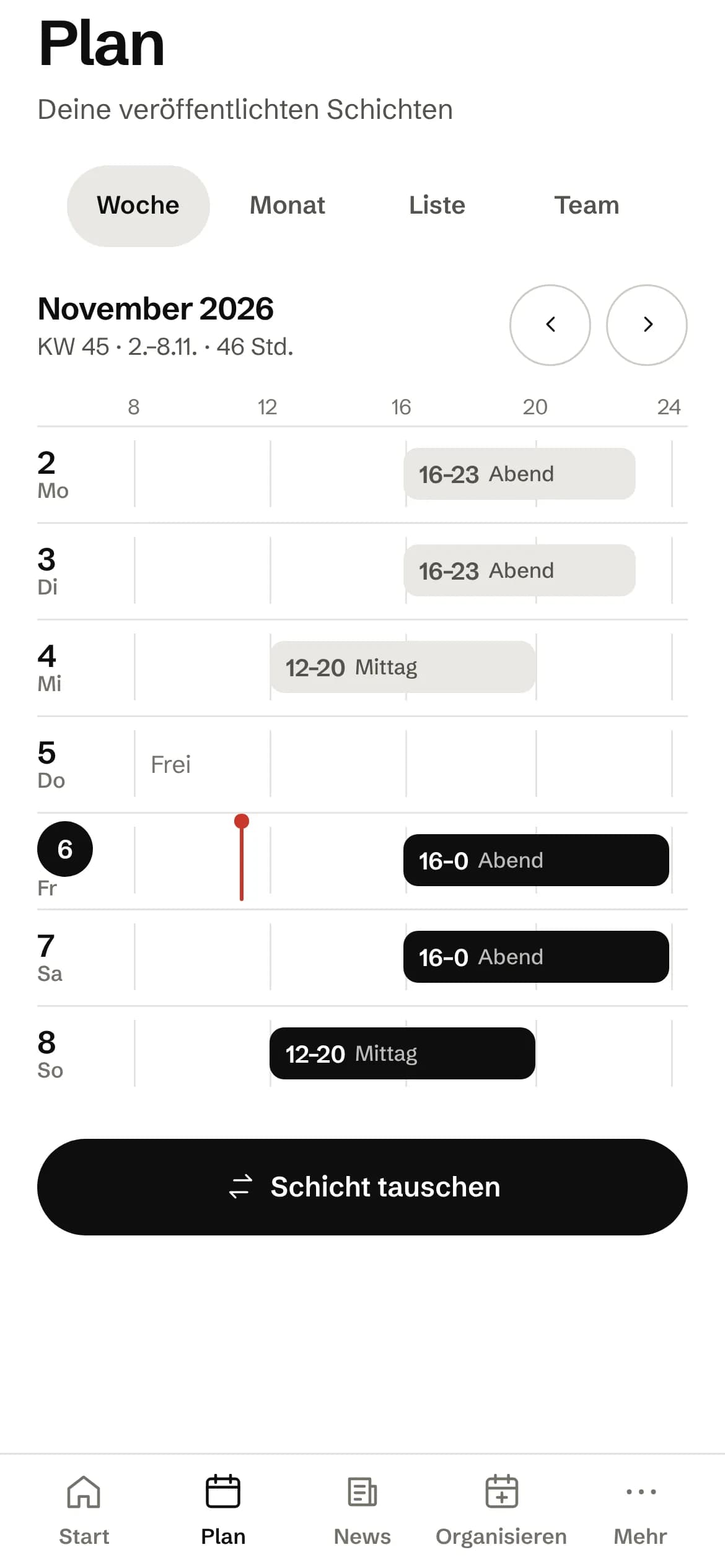
Your team gets the Veydex Shift app: see shifts, swap them, offer them on the shift board, call in sick, request holiday and preferred times. When someone drops out, the Hub looks for cover and asks the best matches in the team.
Veydex can work out a first weekly draft from your operating data, without a language model and with a reason on every shift. The plan checks working-time rules as it goes.
A morning with a no-show
Someone drops out. The plan repairs itself.
You heard about it when it was already solved.
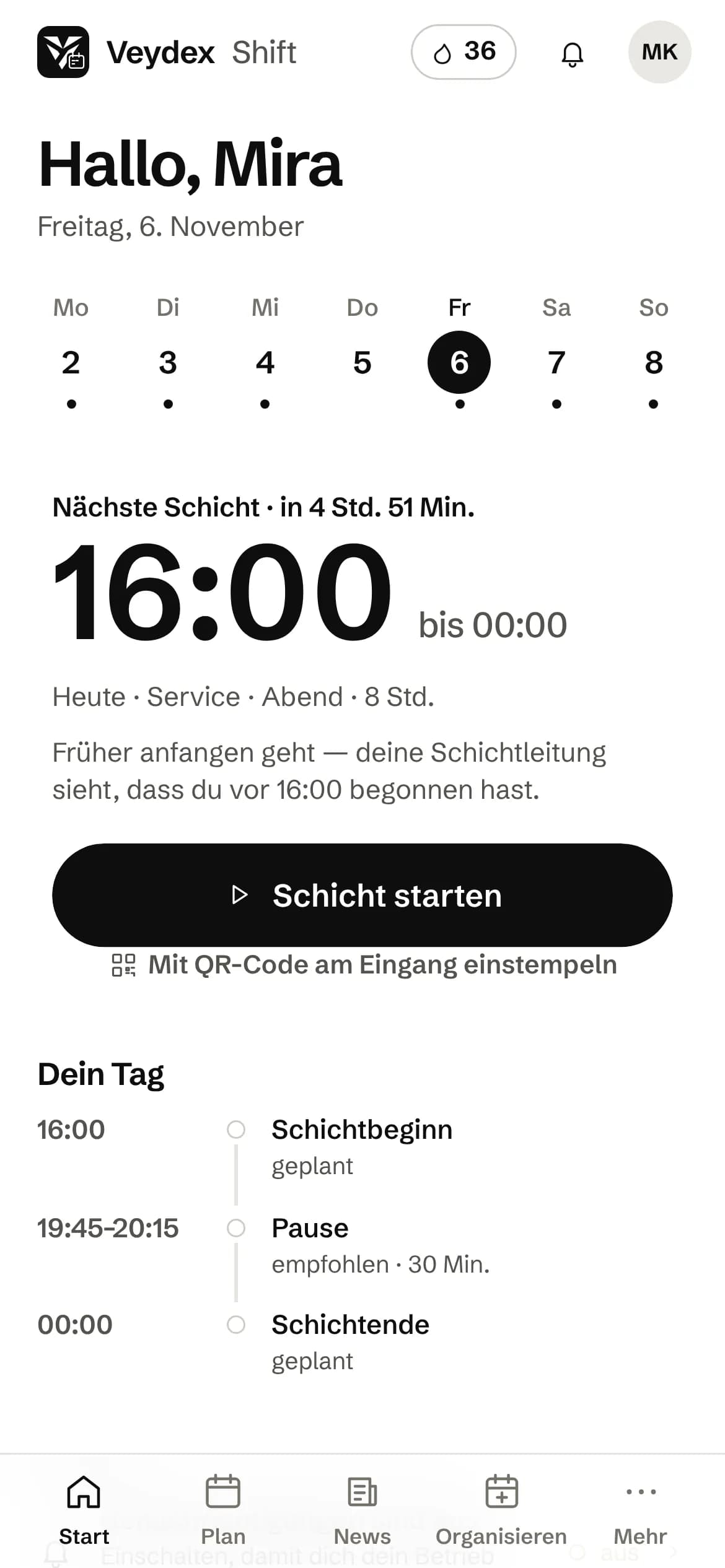
- 06:40Jonas calls in sick in Veydex Shift, with a photo of the doctor's note.
- 06:41The Hub looks for cover: who is free, who can do the role, who is under their hours.
- 06:42The three best matches get a request on their phone.
- 06:58Lea says yes. The shift is filled, and the week's staffing cost updates.
What is inside.
- Weekly planning
- Veydex Shift app
- Swaps and shift board
- Sick notes with cover search
- Holiday and preferred times
- Time clock
- Hours overview
- Staffing cost
- Draft plan with reasons
Ask Kio
Tell Kio. You approve.
Kio lays out the change with its reason, in the chat and in the inbox. Nothing runs until you say yes, and only the owner gets proposals.
Kio only sees names once the owner allows it.
Kio comes with every business: occasional questions are included in the Hub.
Meet Kio- You: Jonas is out on Saturday. Advertise his shift as open.
- Kio:
I am laying out the open shift for your approval. Only then is it on the rota.
Advertise shift as open
- Saturday
- 5 to 11 pm, service
- Before
- Jonas
Nothing happens until you approve.
A plan that knows the Working Hours Act. And an app your team actually reads it in.
The weekly plan is built against the demand your till and your reservations show. Every assignment runs through the same rules, and your team gets the plan in Veydex Shift, with swaps, shift board, sick notes and the staff file.
01
Planning
A draft for the week that says where every shift comes from.
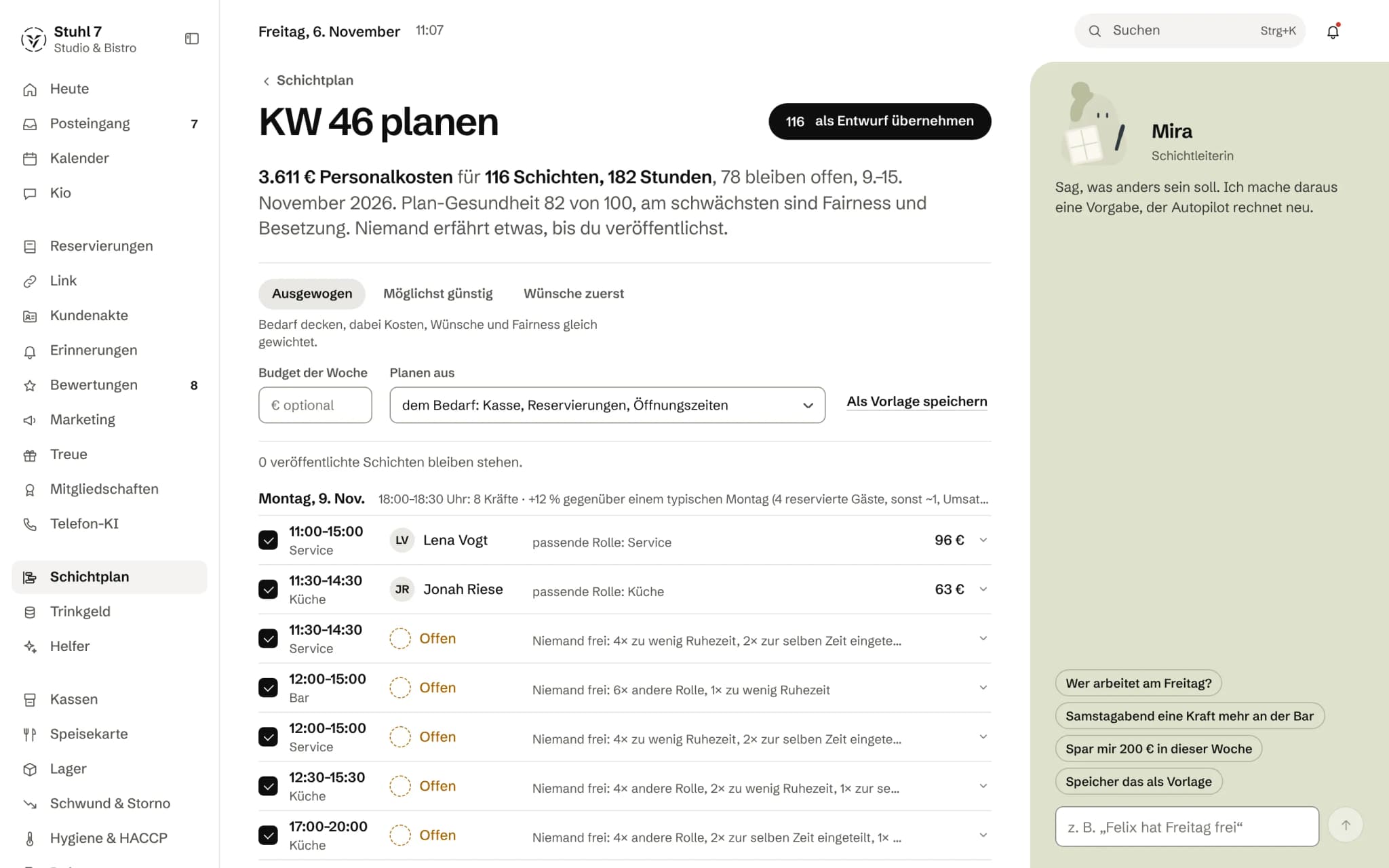
Demand per half hour
From your till's revenue forecast, the guests already booked and your minimum staffing, Veydex works out how many people you need and when. The peak of the day is spelled out in a sentence, with the figures it comes from.
Autopilot
The autopilot hands out shifts by demand, rules, preferences and cost, within a weekly budget if you set one. It works without a language model: the same input gives the same plan, and every shift carries its reason.
Instructions and week templates
“Anna is off on Friday”, one more on Saturday evening, a closed day, a cap on hours: instructions survive the next replan. A week that worked you save as a template, with fixed staffing if you like.
Mira next to the draft
You tell Mira in one sentence what should be different. A language model turns it into instructions, the autopilot replans, and the Hub itself works out what changes in cost, hours and staffing. Mira writes nothing into the plan in the process.
Plan health
Staffing against demand, labour law, cost, preferences, fairness and contract hours, each in a sentence. Before a change, Veydex shows what it costs, which rule it touches and who else would fit.
02
Rules
One set of rules for every way someone ends up on a shift.
Eleven hours' rest is hard
Anyone who is absent, already on at the same time or would get less than eleven hours' rest (§ 5 ArbZG) does not get the shift. The server refuses, whether the autopilot, a swap or an approval is asking.
What the machine never proposes
More than 48 hours a week (§ 3 ArbZG), more than a tenth above contract hours, a seventh day in a row, a role the person does not do, or a day they marked as “can't”. You may give such a shift deliberately, and you see the note when you do.
Notes on the plan
The break under § 4 ArbZG and days with more than ten hours of work show up as notes on the shift. They block nothing, but nobody misses them.
Fair without a league table
Weekend and late shifts over the last eight weeks are counted openly so they get spread around. There is no performance rating and no ranking (§ 87 BetrVG).
A second check on swaps
When you approve a swap, Veydex checks the hard rules again: does the shift still belong to the person giving it up, is the person taking it not absent, do eleven hours' rest remain.
03
Absence
When someone is missing, the Hub looks for cover before you reach for the phone.
Sick note with certificate
The sick note comes from the app, with up to five photos or PDFs of the doctor's note if wanted, also handed in later. Only you see the file. The app shrinks photos before uploading and strips the location from them.
Cover search
Affected shifts in the next seven days are freed up, and the three best matches get a request on their phone. Anyone who declines or does not answer in time (45 minutes by default) makes way for the next. Those asked are not told who is off or why.
Shift board
An open shift is only shown to people who may take it under the rules. If the cover search runs out of people, you hear about it, and the shift goes on the board.
Swaps
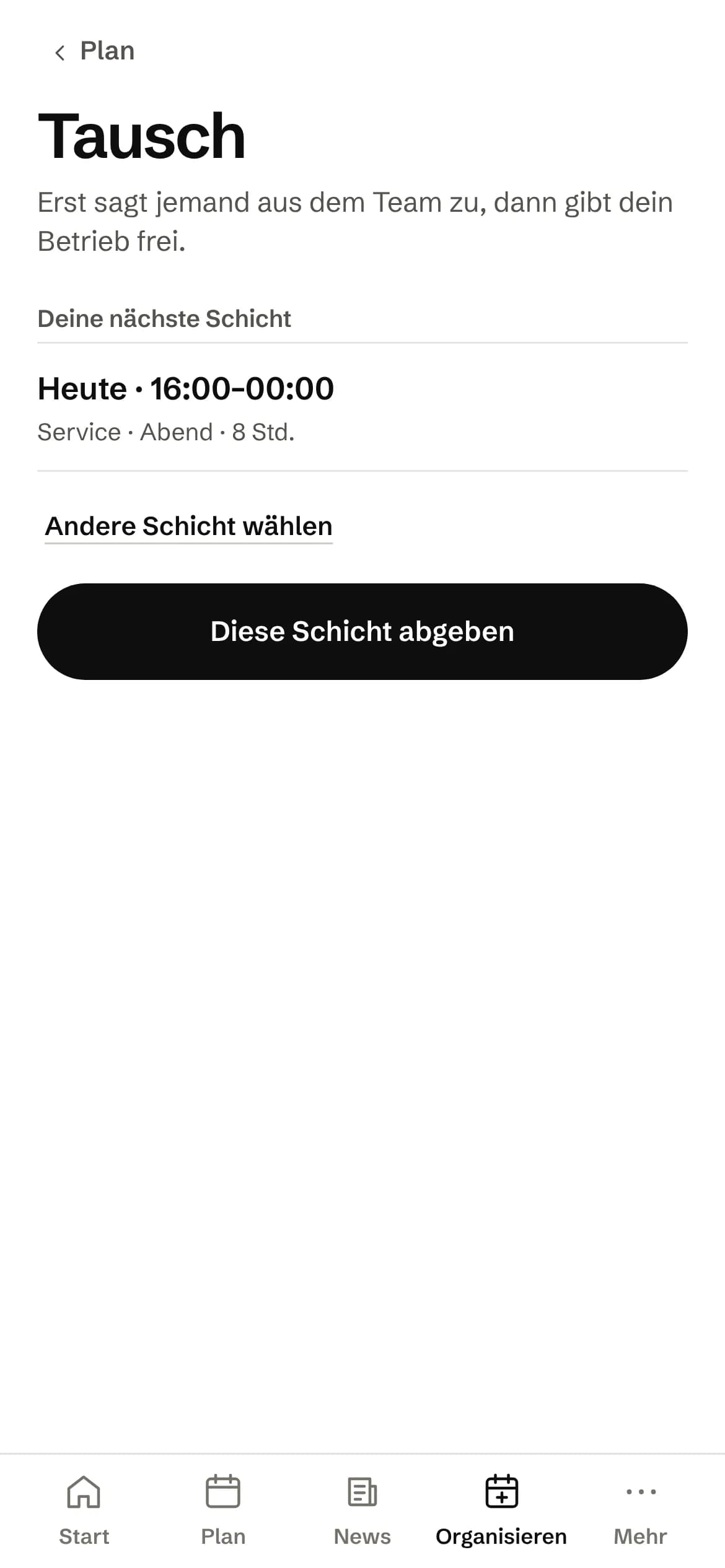
First someone in the team agrees, then you approve. The app suggests swaps back that work for both, without giving away anything that would not be on the noticeboard anyway.
04
Time recording
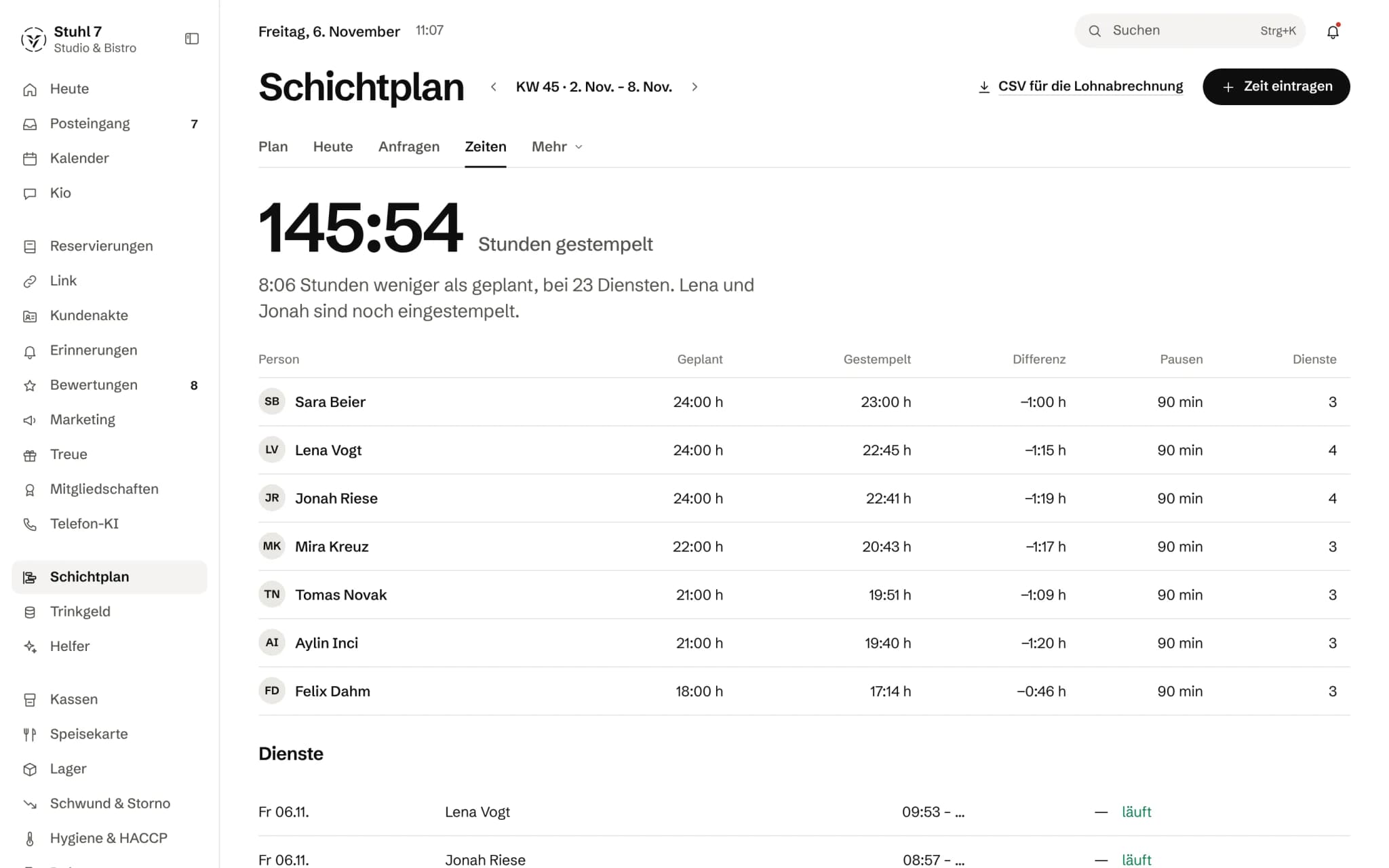
A time clock whose log you can put on the table in an argument over half an hour.
One tap, the check behind it
“Start shift” sends location, device and time in one go, and the server's clock is what counts. The app reads the location only at the moment of the tap; the shift lead sees no position, only whether it was confirmed.
QR code at the entrance
An old tablet shows a code that changes every 30 seconds, plus six digits to type in. Anyone without GPS in the cellar clocks in that way.
A log instead of overwriting
Every in, break and out is an event that can no longer be changed. A correction is an event of its own with a reason, and the original stays visible.
Corrections with two signatures
If the person requests a correction, they sign it with their device, and you sign the approval. If you correct it yourself, the person confirms. That way, in an inspection by customs or a labour court, you can show that both sides wanted it so (MiLoG, record-keeping duty).
Without signal
In a cold room with no reception the clock-in goes into a queue on the phone and is sent as soon as there is signal. The device time then only counts as a suggestion, and the shift is flagged for review.
05
Veydex Shift
Your team's app, with the same plan as your cockpit.
Only what is published
A draft is nobody's plan yet. When you publish, each person gets one message with their shifts, not one per shift. If something changes afterwards, only the people affected hear about it.
Holiday, preferences, rhythm
Request holiday, enter preferred times, lean towards early or late. You decide how long preferences can come in, say until the 15th of the month before; after that a preference goes through you.
“Why am I on this shift?”
For every shift from the autopilot, the person can read why they were scheduled. The Hub worked out the reason when you accepted the draft.
Tasks per shift
What belongs to the early shift or to the kitchen shows up as a task on the person's day, to tick off with a note. Done tasks keep the title they had at the time.
Four languages
The app speaks German, English, Turkish and Polish. Each person sets their own language.
06
Staff file
Personal details and records that neither side changes alone.
Request and approval
A new address, new bank details or a record such as the instruction under § 43 IfSG is a request the person signs in the app. It only takes effect once you approve it.
Signed by the device
Every device has its own key, which never leaves it. Both signatures together produce a seal with a code, and the receipt for it explains how to verify it without Veydex.
Put forward for signing
You place an employment contract or an instruction in the file and ask for a signature. The person gets a message and signs in the app.
Residence permits in view
For staff without an EU passport you record the type of permit and how long it is valid. Veydex reminds both the person and the business in stages, from 90 days before up to the expiry date, and names the deadline for the new proof.
What it does differently. And why that matters.
Who in the business gets what out of it.
Technical details and data
Law
Checked are rest periods (§ 5 ArbZG), maximum working time (§ 3 ArbZG) and breaks (§ 4 ArbZG). The signature in the staff file is an electronic signature with cryptographic proof, not a qualified one (eIDAS Art. 3 No. 12). For dismissal and fixed-term clauses the law requires paper, and that is stated at the point of signing.
Co-determination
Fairness is counted openly and without a ranking, and the task log only shows what was done and when. A tick with a time per person is still a record of conduct, and with a works council it is subject to co-determination (§ 87 (1) No. 6 BetrVG). Whether you use it is up to the business.
Devices
Veydex Shift is a web app for the home screen: on iPhone from iOS 16.4, on Android through Chrome or Samsung Internet, on a computer through Chrome or Edge, for example. A guide recognises device and browser and shows the steps. The cockpit has a full-screen mode for the tablet in the office.
Notifications
Push to the phone and the same message in the app's inbox. Anyone with push switched off sees it the next time they open the app.
Personal data
In the app a person sees their bank details only with the last digits, colleagues not at all. Under “My data” they download everything the app stores about them as a PDF.
Allowance
The conversation with Mira in the autopilot covers 200 messages per business per month. Without the conversation the autopilot plans just the same.
What it does not do today
Listed here so you know before, not once you are running it.
Veydex Shift exists only as a web app for the home screen, not in the app stores.
It does not open in the browser alone, because on iPhone that is the only way notifications arrive.
The check knows the Working Hours Act.
Special rules for young workers or from a collective agreement are not checked by the plan.
The rota does not produce a payroll export for DATEV or Lexware.
Without till data and reservations the autopilot knows no demand.
It then plans minimum staffing for your opening hours and, if those are missing too, a fixed weekly pattern that it labels as the standard pattern.
The signature in the staff file does not replace the written form.
The time clock checks location and QR code.
As a web app it cannot read a Wi-Fi name or a Bluetooth beacon.
Stronger together. Rota and the rest.
All modules work on the same data. What Rota knows, the others know too. Switch on what you need and see straight away what it costs together.



Your selection
15 €a month
For new bookings from 1 December 2026: 39 € a month. Book or start your trial before then and you keep your price.
- Rotafrom 1 December 2026: 39 €15 €
Net. Try it for 14 days, the trial ends by itself.

Complete staff file
What your team submits and signs in Veydex Shift lands in their file automatically. Missing records you request through the app.
44 € a month for both
Rota costs
15 €/ month
- For new bookings from 1 December 2026: 39 € a month. Book or start your trial before then and you keep your price.
- Try it free for 14 days, the trial ends by itself
- Cancel monthly, with fourteen days' notice to the end of a billing month
- No base fee, no bundle
- All prices net
Questions before you start
What businesses want to know before they switch it on.
Does my team have to download an app from a store?
No. Veydex Shift is a web app that starts from the home screen. A guide recognises device and browser and shows step by step where the button is; on a computer there is a QR code for the phone. On iPhone, notifications arrive from iOS 16.4.
Does Veydex plan my week by itself?
Veydex makes a draft. You accept it, and only when you publish does the team see it. Shifts that are already published the autopilot leaves alone.
How does the autopilot know how many people I need?
From your till's revenue forecast, the guests booked (by default 25 guests per person) and the minimum staffing during opening hours. The highest of these counts. If there is no source at all, a fixed weekly pattern applies, and the plan says so.
What happens when someone calls in sick in the morning?
With self-repair, the default, the affected shifts are freed up and the three best matches get a request. Whoever says yes is in the plan. You get a message with the state of things and hear about it if nobody is left. Without self-repair you decide yourself whether the shifts are freed.
Can my team see what the others earn?
No. Only the owner sees wages and staffing cost, not even the shift lead. Of colleagues, the app shows name, role, when someone works and, if they allow it, their birthday.
Is the signature in the staff file legally valid?
It is an electronic signature with cryptographic proof: it shows who agreed to which content and when. It is not a qualified signature. Where the law requires the written form, such as for dismissal or a fixed term, paper is still needed.
Do I also need the Documents module?
No, the staff file is part of the rota. Together with Documents each person has one file instead of two: what is valid in the staff file counts there as a required record, appears in deadlines and export, and what the office asks for the person deals with in the app.
We have a works council. What do we need to watch?
Veydex rates no performance and builds no ranking. It does not replace co-determination: the task log with a tick and a time per person is a record of conduct and subject to co-determination. Whether you use it is up to the business.
Does Veydex also record the hours actually worked?
Yes. The time clock is part of Veydex Shift and can be switched on or off per business. Starting early and stepping in work and are flagged; nobody can change their own time, only request a correction. For payroll you export completed shifts as CSV, with a seal to check against.
A weekly plan turns into a tool for better staffing decisions.