Getting started
Account, modules, team: how the start goes. 20 articles
Articles on this topic
Something is not working
First check the status page to see whether an issue is known. Then you know within seconds whether it is on your side or ours. If nothing is listed and your business is stuck, call us.Create an account and set up your business
You create the account in the Hub: email address, code from the email, password, then your business. After that it has its own address under veydex.app. You can connect the till later.Trying modules
Every module can be tried for 14 days. The trial ends by itself and never turns into a charge without an explicit booking.Setup, step by step
Under Settings › General › Setup you find the guided steps from the start to your first reservation. You can do each step, skip it and come back to it later.Choose or change your business address (subdomain)
Every business has its own address under veydex.app, for example cafe-lux.veydex.app. As the owner you change it under Settings › General in the Subdomain field.Change your business name, industry and how guests are addressed
Under Settings › General you change the display name, the industry and how the Hub addresses your guests. Every change is then recorded in the activity log.Set the time zone
You set the time zone under Settings › General. It decides when a day starts and ends in the Hub, and with that the overview, reminders and analytics.Change the Hub's language
Tap your name at the bottom of the sidebar and choose Deutsch or English under Language. The choice applies to the browser you make it in.The business calendar
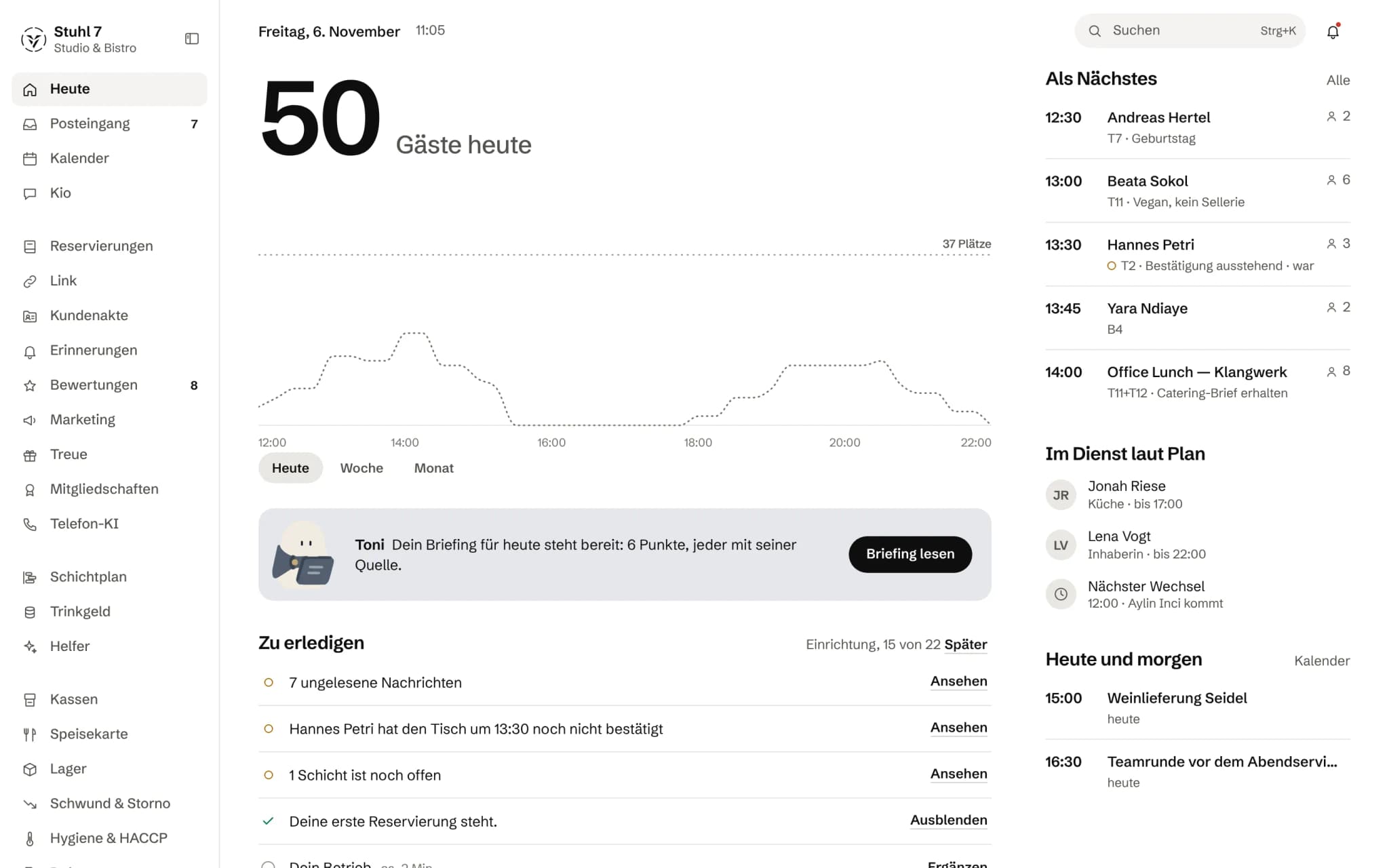
Under Today › Calendar every business has a calendar without booking a module: deliveries, inspections, maintenance, deadlines, with series and reminders into the inbox. Booked modules add their appointments and reservations to the same calendar.Entering a closure
In the calendar, add an entry of type Closed, for example for a company holiday or stocktaking. It blocks reservations, appointments and the phone AI for that period, everywhere bookings happen. Callers hear that you're closed, not why.Having dates entered from letters and emails
In the calendar, Toni reads letters, emails, invoices and invitations under Read a document. What is certain and stated word for word in the document he enters himself; everything else waits for you under Suggestions. Every entry keeps its source.Manage several locations
Under Settings › Locations you add further locations, each with its address, time zone and the end of its business day. You assign tills to a location so their sales show up there.The inbox
Under Today › Inbox lands whatever the modules report: messages, reminders, requests and approvals. You work through them as a stack, with Open, Read or Later; All messages shows them all at once.Several businesses with one account
If you belong to several businesses, you switch via the business name at the top of the sidebar. Each business has its own address, its own data, its own team and its own billing.Use the Hub on a phone or tablet
You open the Hub in the browser, on a computer or a phone, at your business address. On the phone a bar at the bottom leads to Today, your main area and More.Find things fast with search
Press Ctrl+K, on a Mac ⌘K, or use the magnifier to open search. It finds pages and commands, reservations for the next seven days, your team and reminders, and depending on your modules also guest records and documents.Look at the Hub without an account (demo)
On the Hub's sign-in page, “View the demo” opens a sample business with made-up data. Don't enter anything real there, because everyone who opens the demo sees the same demo business.Contact support
Write to support@veydex.com or use the form on the help page; we answer within one working day. If your business is at a standstill right now, call +49 157 58353026.The Hub says “Server unreachable”
Your device cannot reach the Hub right now, for example because of a connectivity blip or an update in progress. The Hub tries again every 10 seconds by itself, and your data is untouched.Get notified about outages by email
On the system status page, enter your email address under “Hear about issues”. After you confirm by link, you receive notices about outages and maintenance.